Bullseye Get the app
Feature tour

Every screen, in order

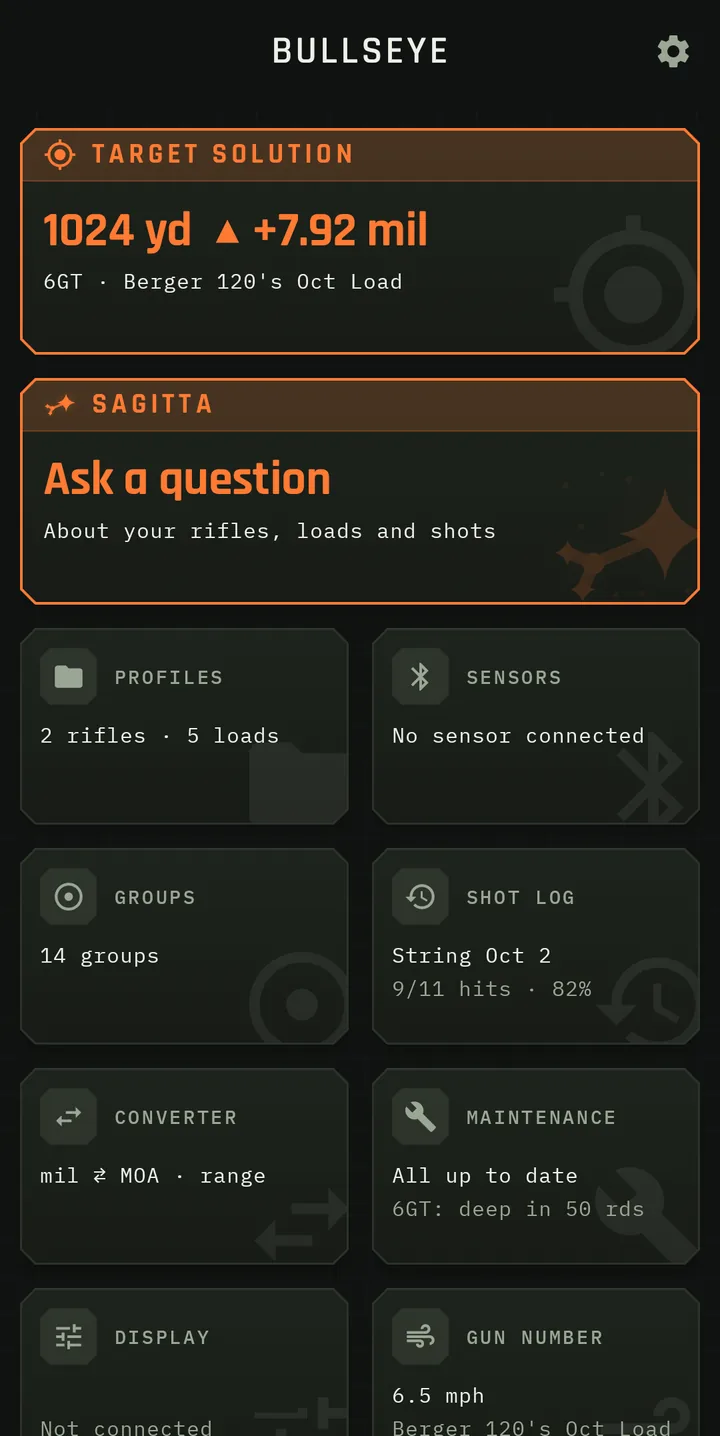
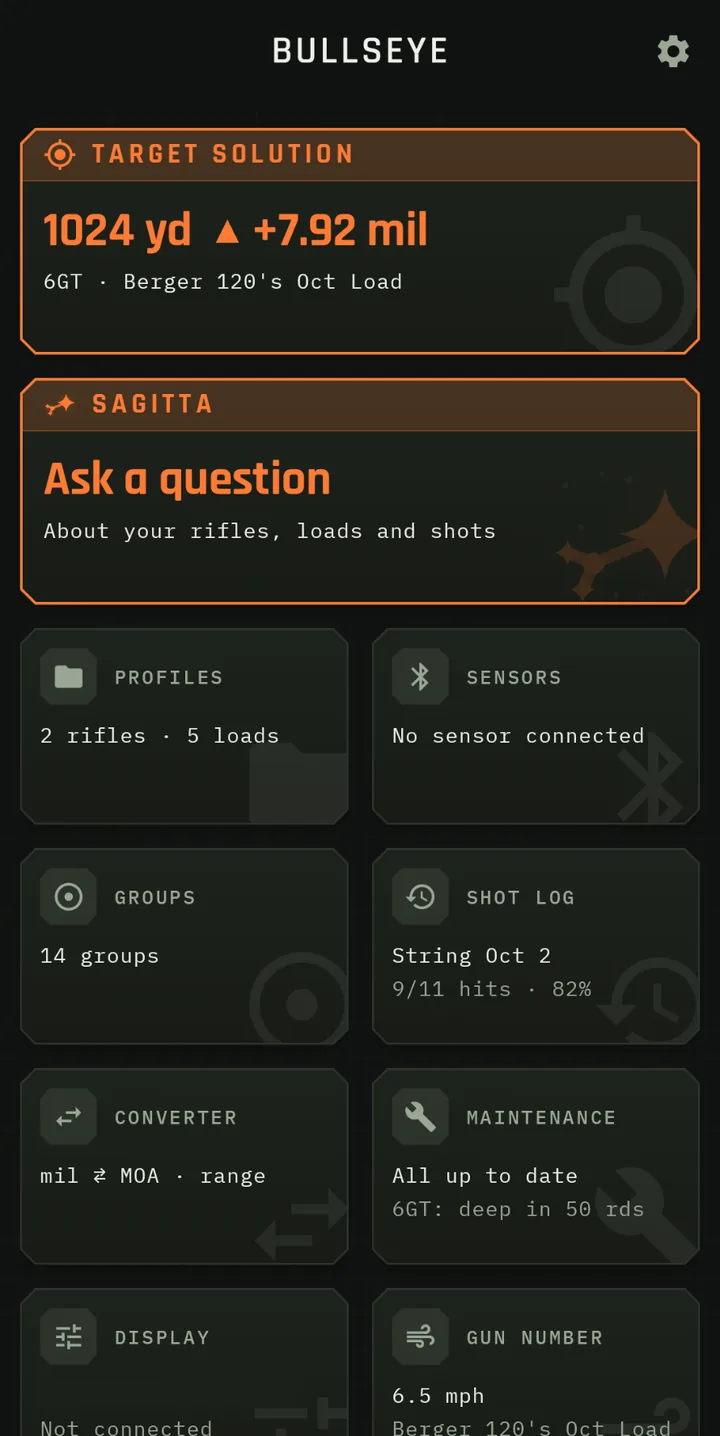
Bullseye Ballistics goes beyond a traditional ballistic calculator. Here is everything it does, section by section, with the screens as they look on the phone. Swipe through each section's screens, or tap one to see it full size.

44 data points captured with every shot.

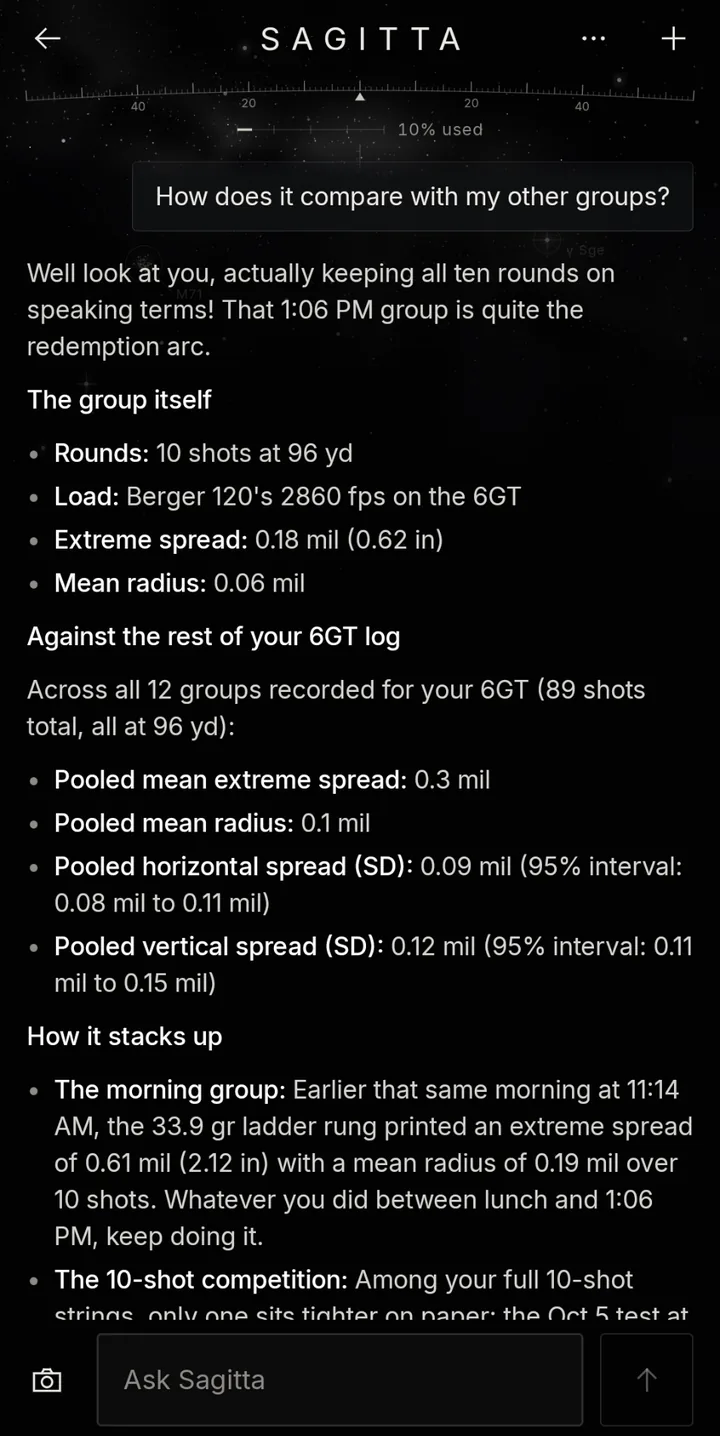
Sagitta Ballistics AI

Artificial Intelligence

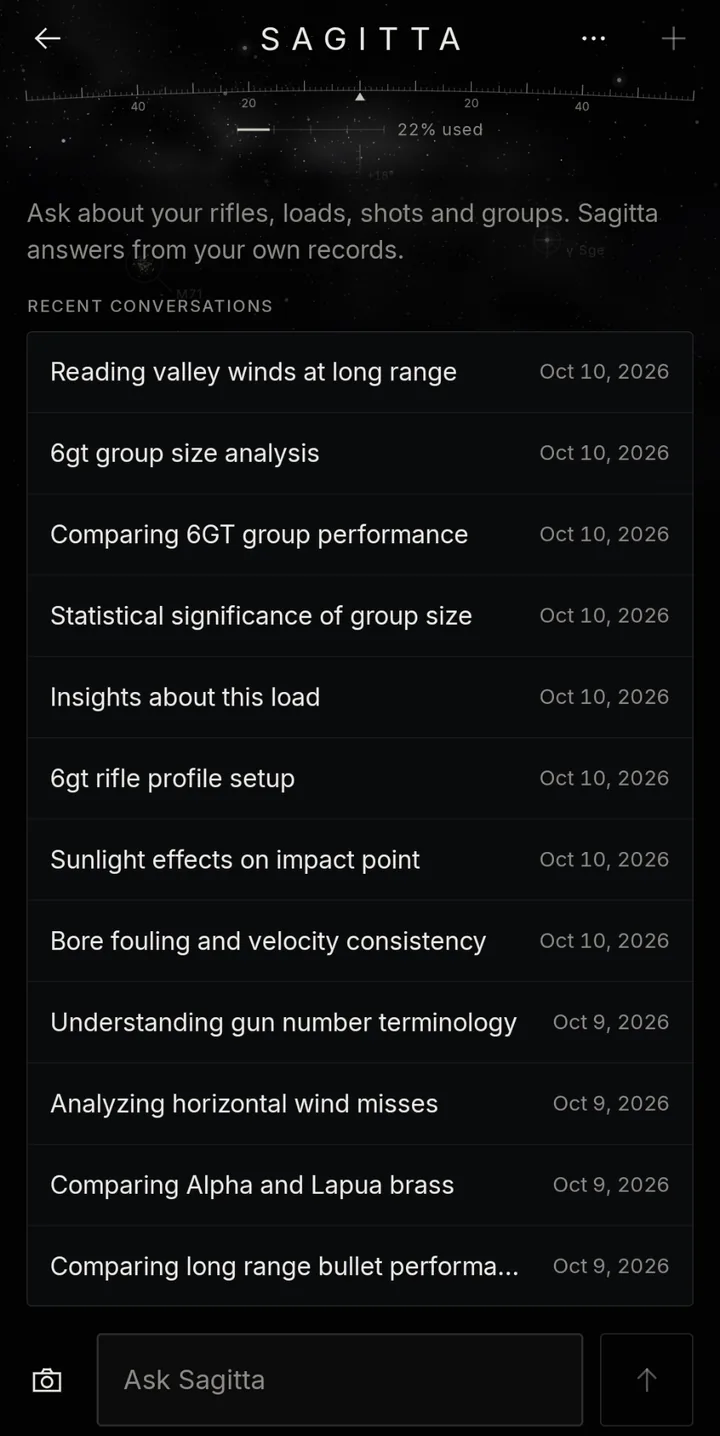
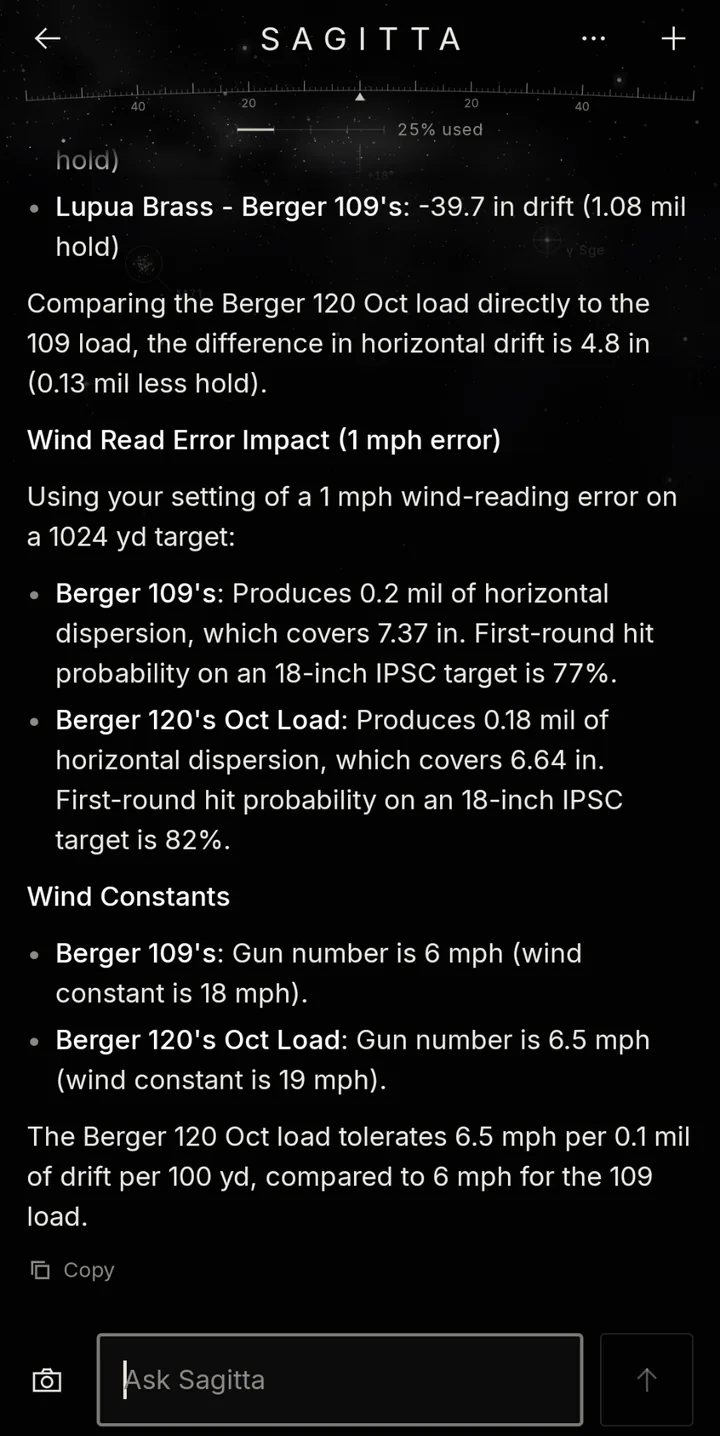
The AI built into Bullseye Ballistics is called Sagitta AI ©. Sagitta is a purpose-built Ballistics AI © that turns the ballistics solver app into an integrated long-range shooting ecosystem that combines environmental sensors, ballistic computation, shot logging and AI-powered predictive and post-shot analysis.

Sagitta connects what the solver predicted, what the environment did, what the shooter called, and what actually happened, then turns that into understandable explanations and useful training insight.

  • Explain why a shot likely missed: Compare the predicted solution, recorded impact, wind changes and atmospheric conditions to identify the most likely cause.
  • Detect recurring miss patterns: Identify consistent left, right, high or low misses under specific wind, bore or atmospheric conditions.
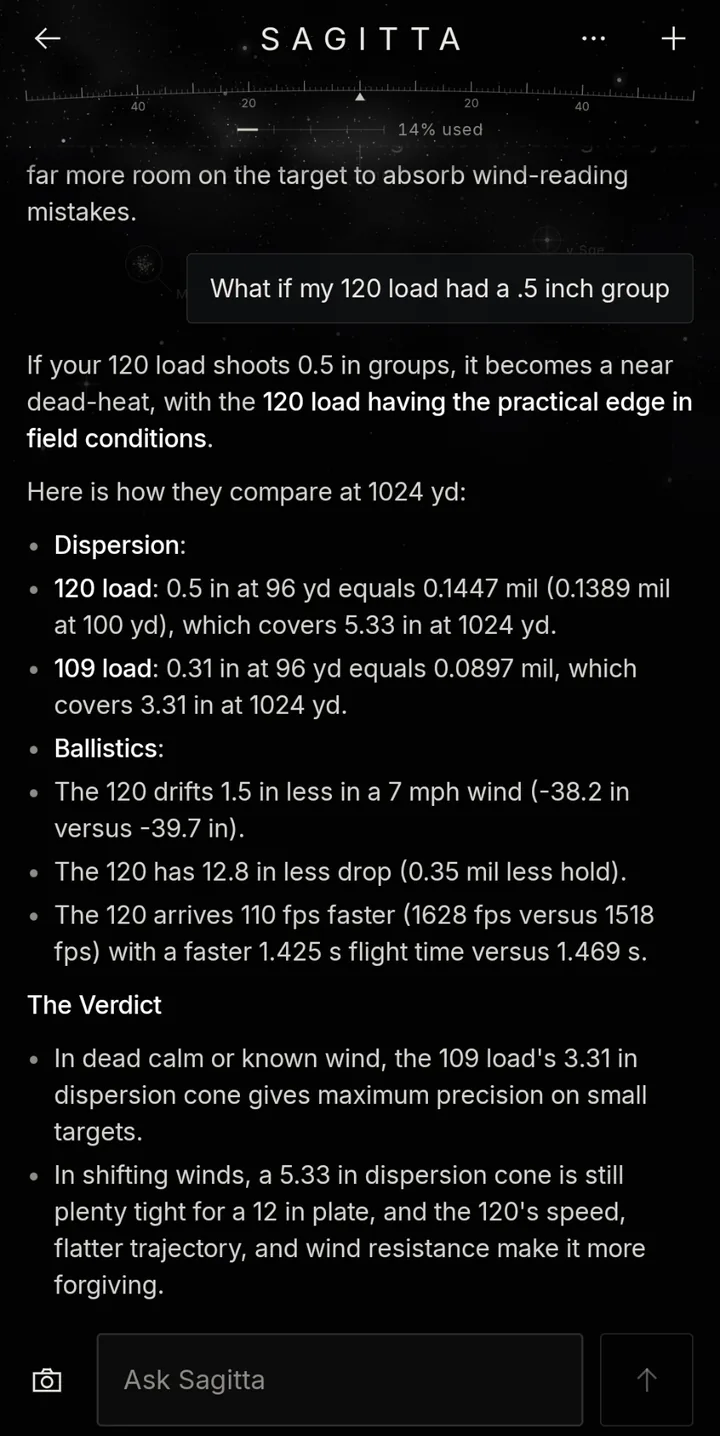
  • Compare predicted and actual performance: Compare modeled hit probability with actual hit rate and determine whether differences came primarily from horizontal or vertical dispersion.
Show 15 moreShow fewer
  • Recommend solver truing: Analyze observed vertical offsets across multiple distances and determine whether the data supports adjusting muzzle velocity, drag scale or zero offset.
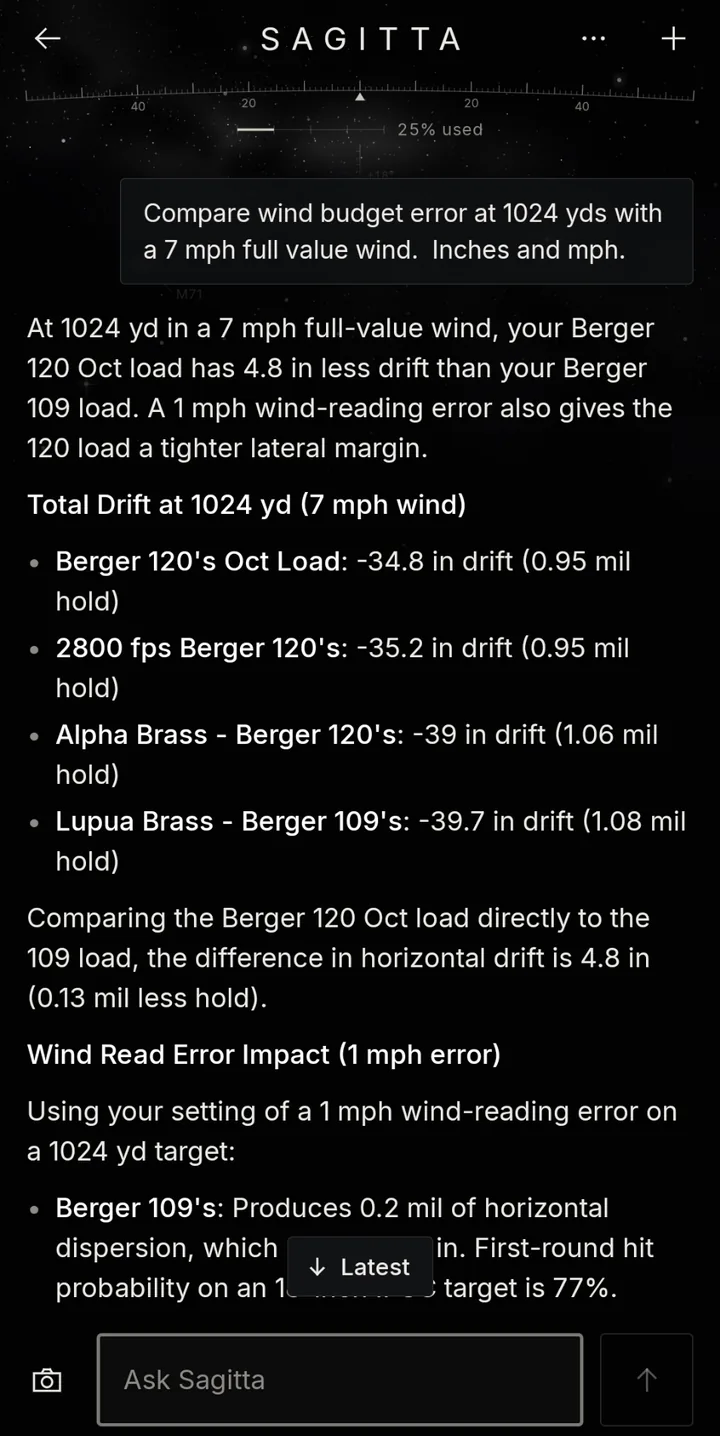
  • Evaluate wind-call accuracy: Compare the entered wind call, live sensor readings, computed wind hold and actual impact location to estimate whether the wind was undercalled or overcalled.
  • Identify the dominant error source: Rank likely contributors such as wind uncertainty, range uncertainty, muzzle-velocity variation, rifle dispersion, ballistic-coefficient uncertainty or shot execution.
  • Analyze load performance across conditions: Determine whether vertical dispersion changes with temperature, muzzle velocity follows the stored powder-temperature model or performance degrades near the transonic region.
  • Detect cold-bore and clean-bore behavior: Analyze first-shot offsets across logged sessions and identify conditions in which those effects are strongest.
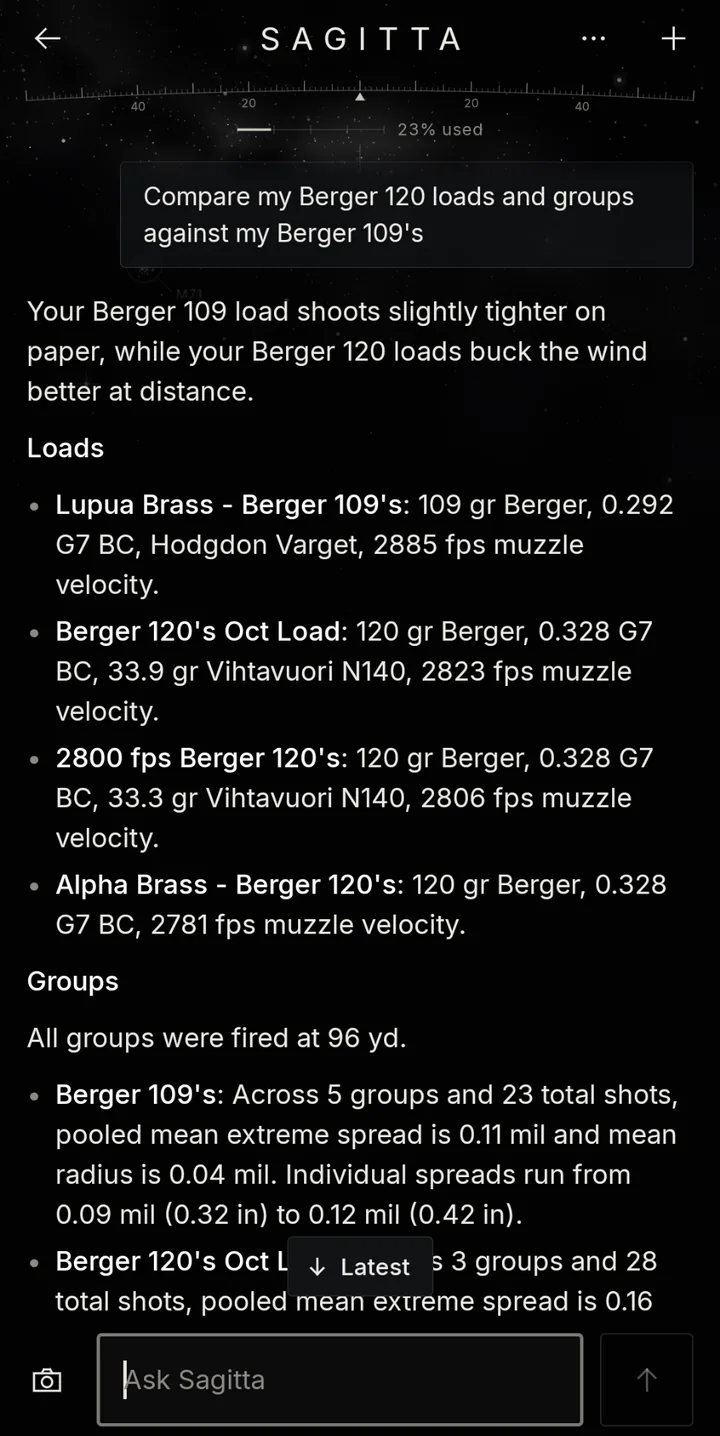
  • Compare loads objectively: Compare loads using dispersion, velocity consistency, hit rate, retained energy, transonic distance and actual long-range results.
  • Estimate sensor value: Show whether live wind and atmospheric sensors improved hit probability or reduced observed error compared with manually entered conditions.
  • Provide pre-string guidance: Estimate hit probability before firing and identify the uncertainty most likely to limit performance.
  • Provide post-string summaries: Summarize hits, misses, predicted dispersion and environmental changes for a completed shot string.
  • Recommend a wind bracket: Use current wind observations and the load's wind sensitivity to suggest practical lower and upper holds rather than only one exact solution.
  • Detect questionable data: Flag sensor dropouts, stale readings, improbable atmospheric changes, chronograph outliers, incorrect distances or shot calls that conflict with the recorded solution.
  • Find performance trends over time: Show whether hit rate is improving, wind-call error is decreasing or load performance is changing as barrel round count increases.
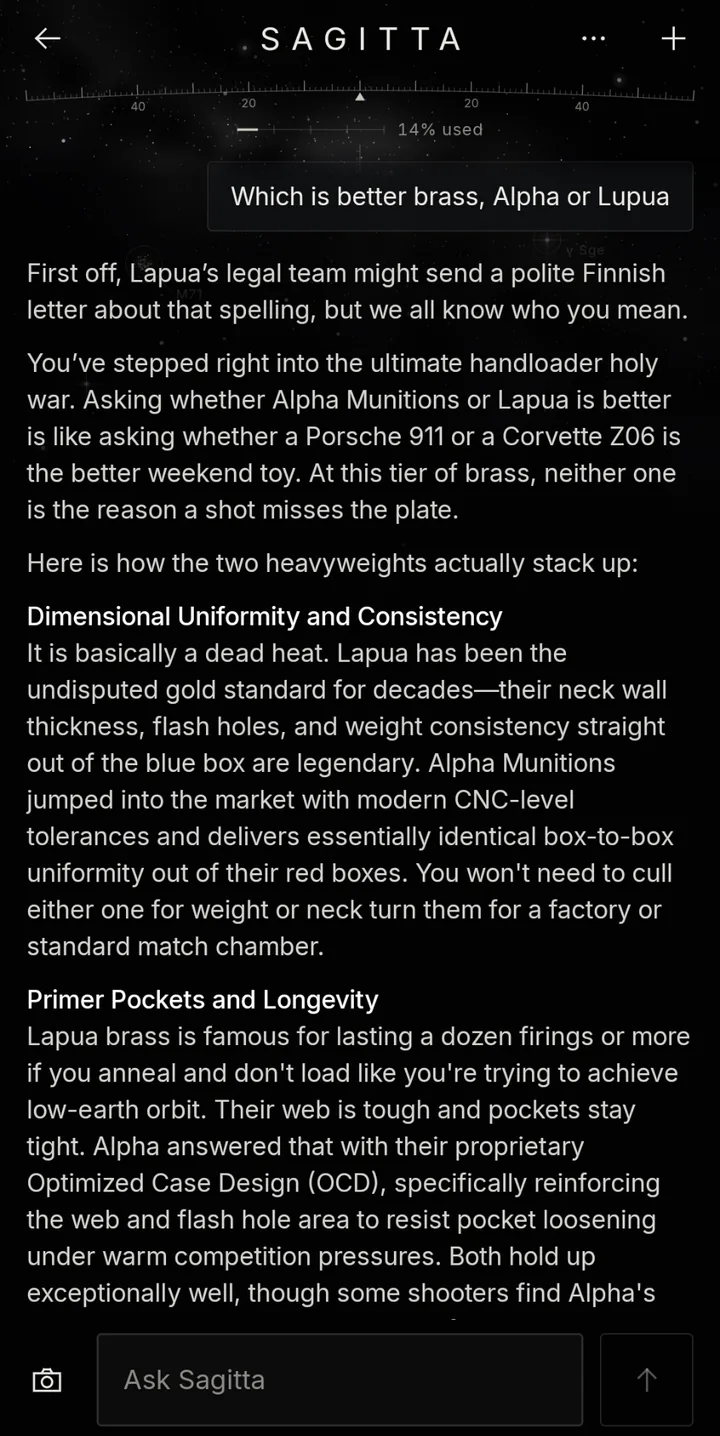
  • Support natural-language queries: Let the user ask questions such as "Why did I keep missing left today?", "Which load performs best beyond 800 yards?" or "At what distance does this load's hit probability fall below 70% in these conditions?"
  • Create personalized range recommendations: Suggest the distances or conditions that would provide the most useful next data for improving the current model.
  • Express confidence and uncertainty: Distinguish conclusions supported by substantial data from tentative observations based on limited records.
  • …and much more.

Because Sagitta is deeply integrated into Bullseye Ballistics, you can ask extremely complex questions about your shooting data and receive clear, actionable answers almost instantly.

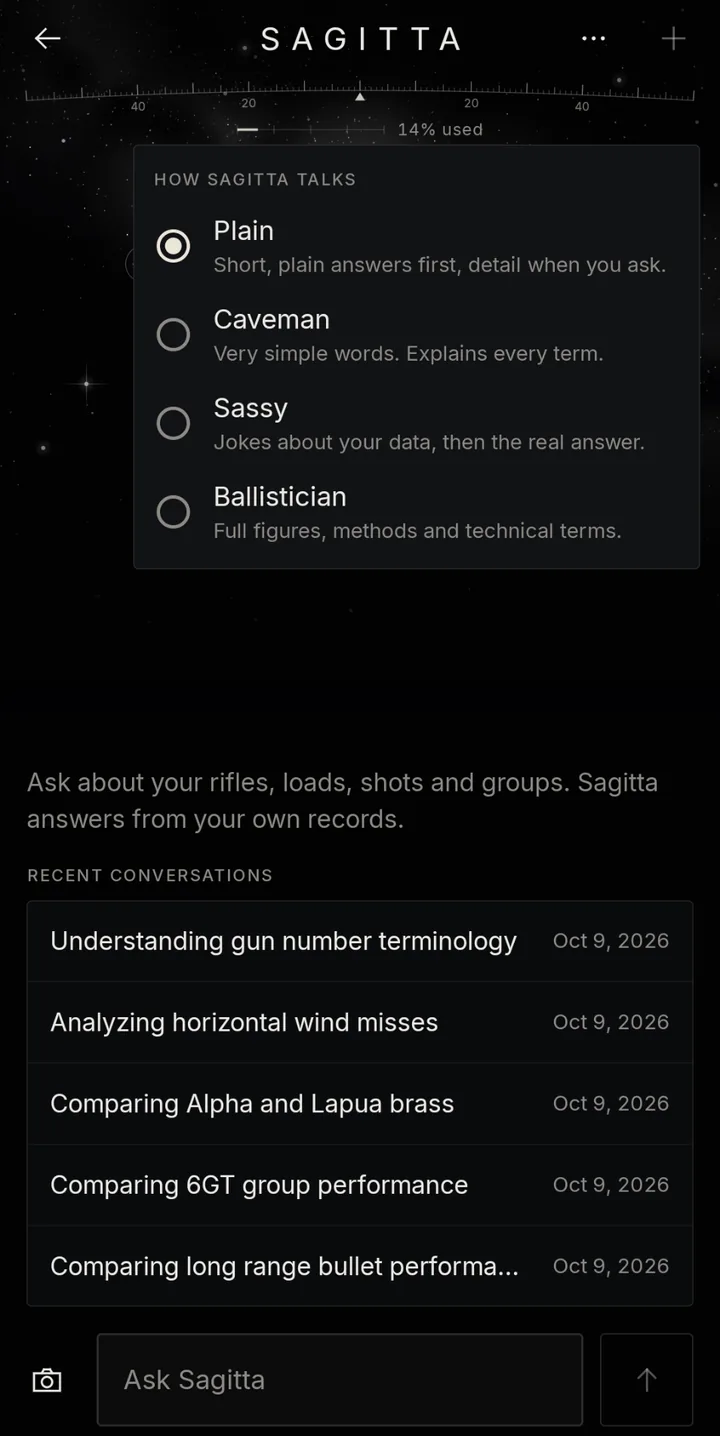
Let Sagitta know how you like to discuss this stuff. The answers it provides will remain the same regardless of your selection; it's the tone (its attitude) you can have fun with. You can get super nerdy and opt for Ballistician mode, where you can basically forget about short, concise answers and expect many figures, methods and technical terms to be thrown around. Or, if you just want the straight dope, go with Caveman mode, in which case the answers remain the same without the fancy words, and every term is explained as if it's the first time you have seen fire. Or, if you can handle some light jabs about your shooting and enjoy a sprinkle of humor, go with Sassy. Again, the underlying answers will always be the same; we're talking about the delivery of the answer only. Plain is the default mode in which Sagitta talks; it's a decent mix of providing short answers first and details if you ask.

Solution screen

Large, bright, clean

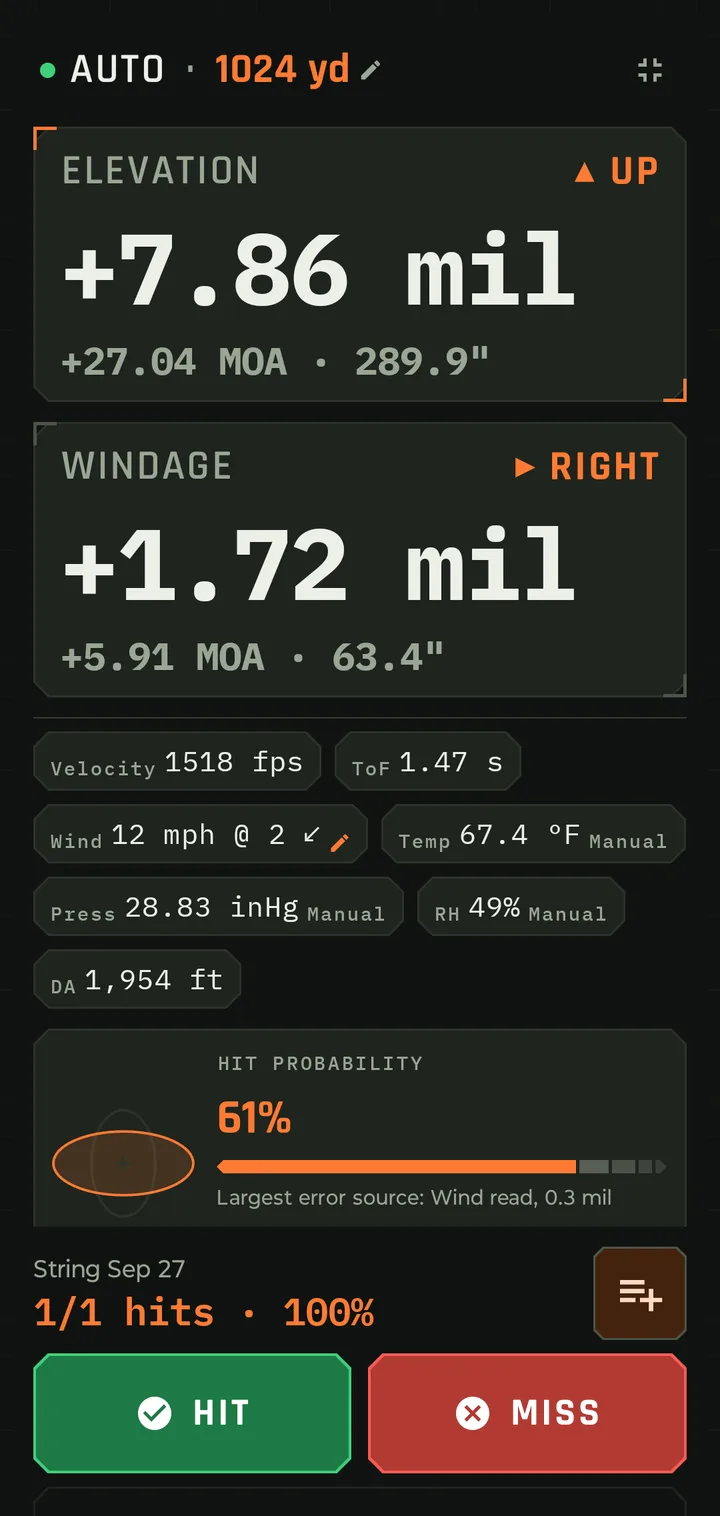
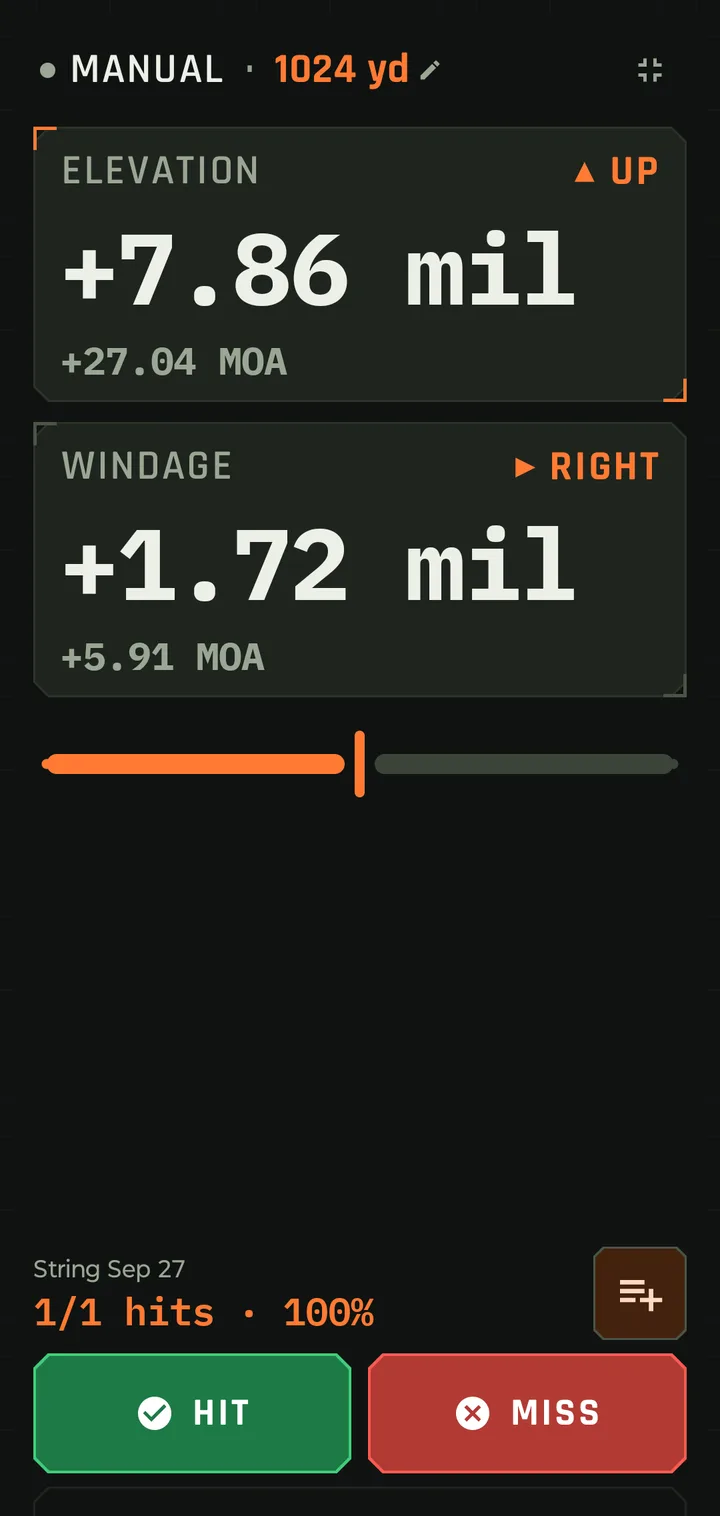
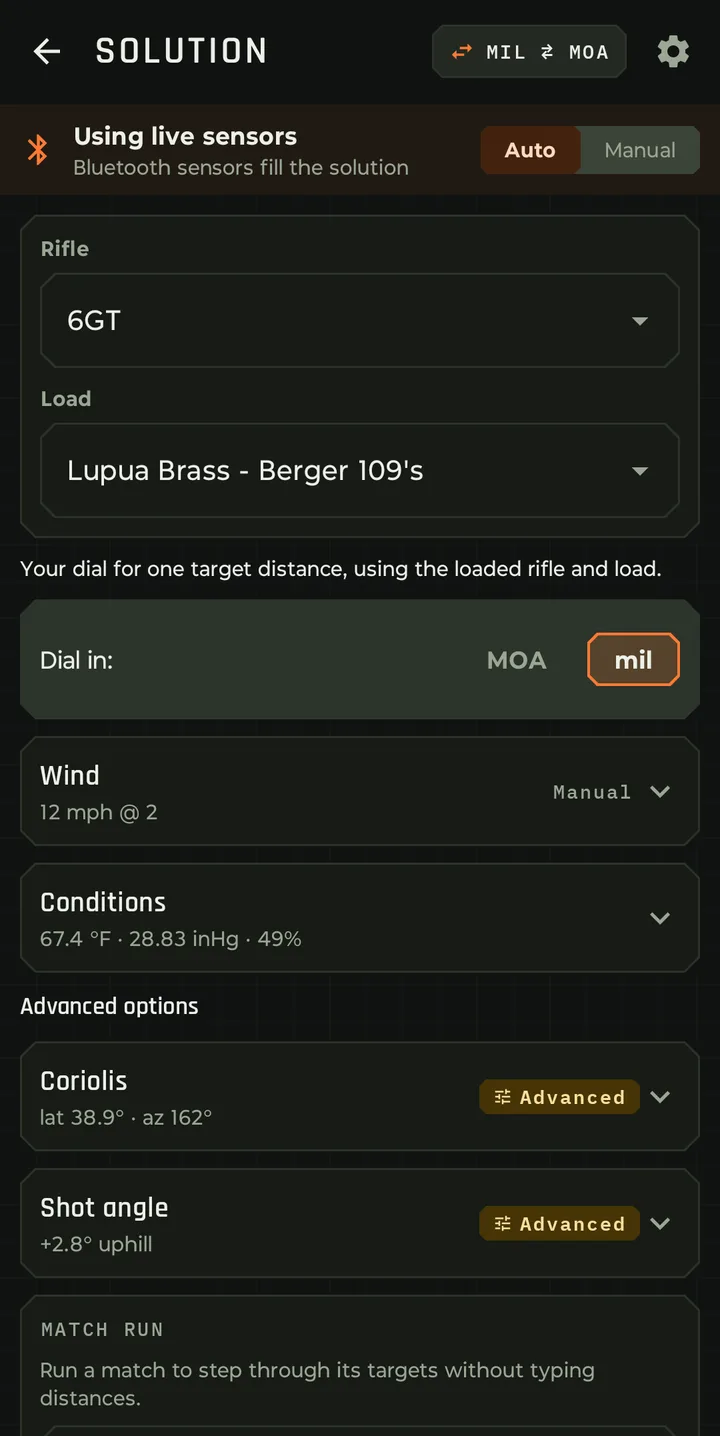
Elevation and windage in MOA or mil, with the linear value in inches or centimeters displayed underneath. One tap switches MOA and mil on every screen that dials.

  • Hit probability against a chosen target, with a ranked error budget: wind read, muzzle velocity, range estimate, ballistic coefficient and group dispersion.
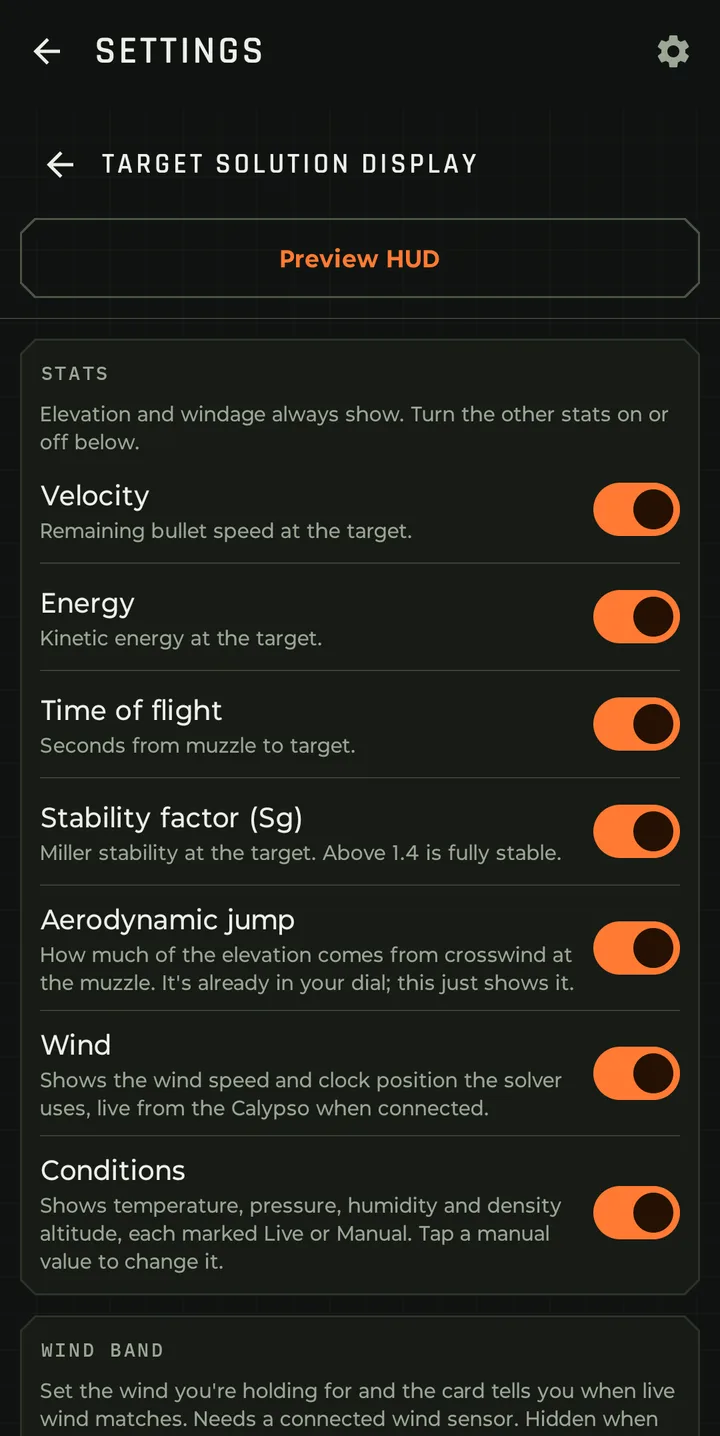
  • Display the things you care about. Velocity and energy on target, time of flight, stability factor, wind, aerodynamic jump and current conditions. Turn each on or off and set the order. Don't clutter up the display with things you don't care about.
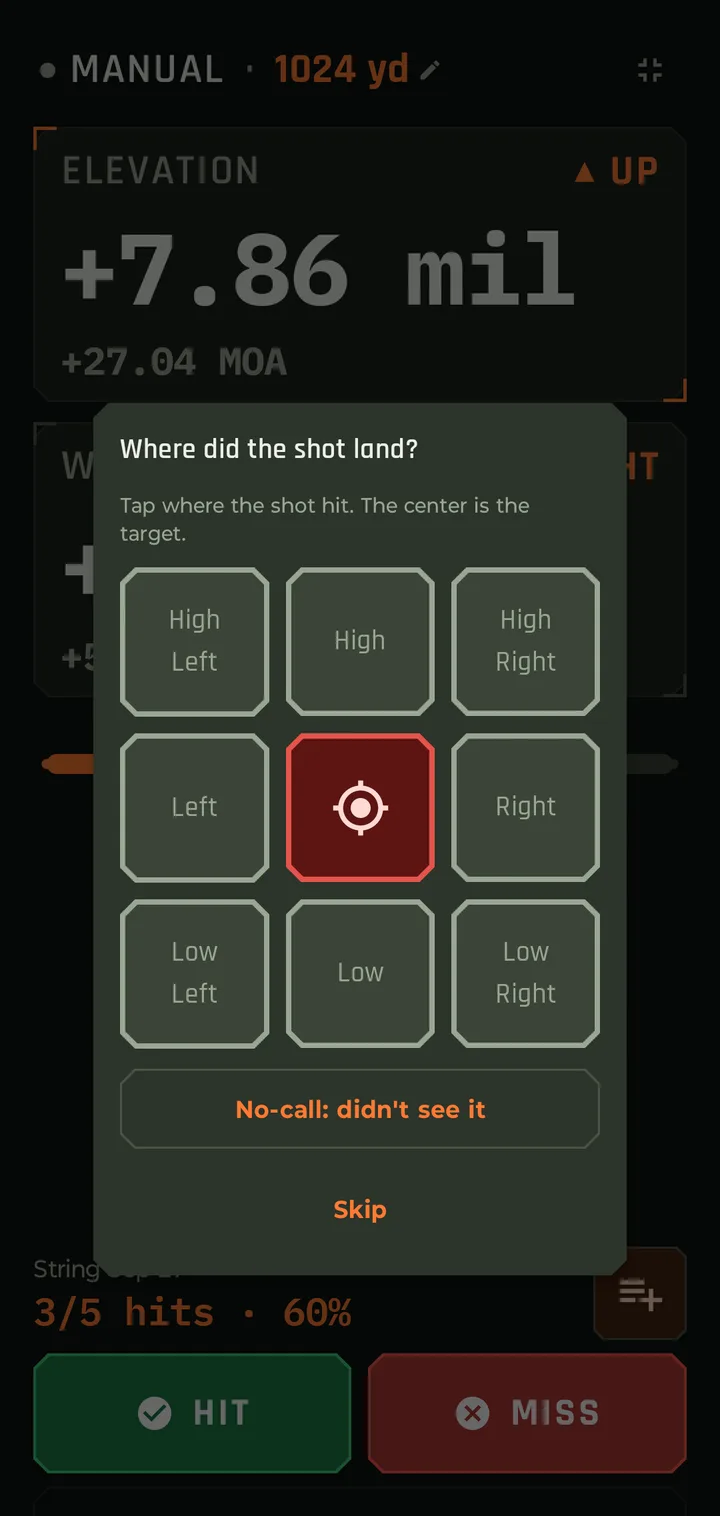
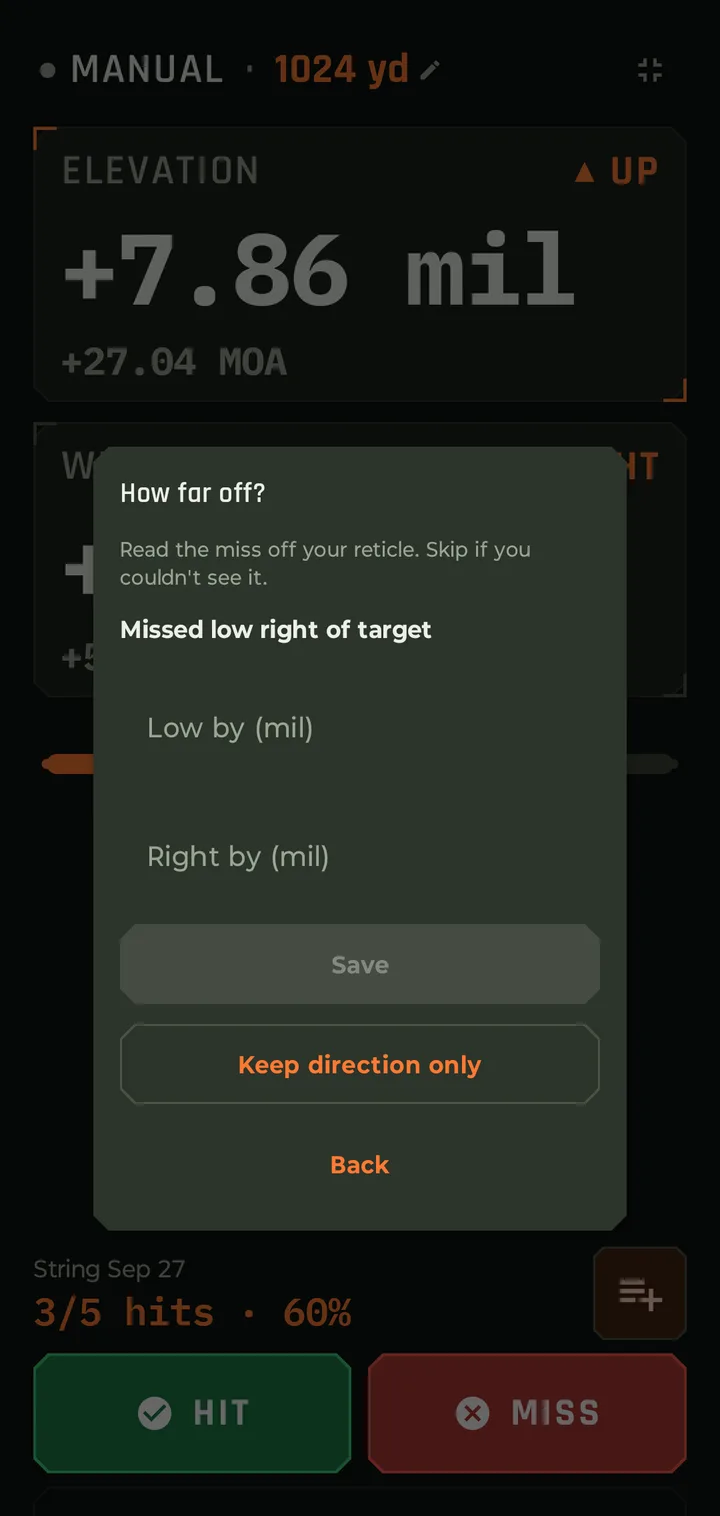
  • Hit, miss and no-call logging right from the solution, with an optional 3×3 grid for tapping the miss location. Or use voice: stay in the rifle and say "hit" or "miss, .3 mil left". The app logs it with the exact firing solution and the conditions at the time of the shot.
Show 7 moreShow fewer
  • Wind band. Set the wind bracket you're holding for and the card says when the live wind matches.
  • Readiness indicator that says when your desired conditions are being met.
  • Shot strings started, named and continued from the solution screen.
  • Target presets for hit probability: angular (MOA and mil), steel plates, IPSC zones, popper, deer and elk vitals, or a custom size.
  • Live or manual sources for every environmental input, each marked as such.
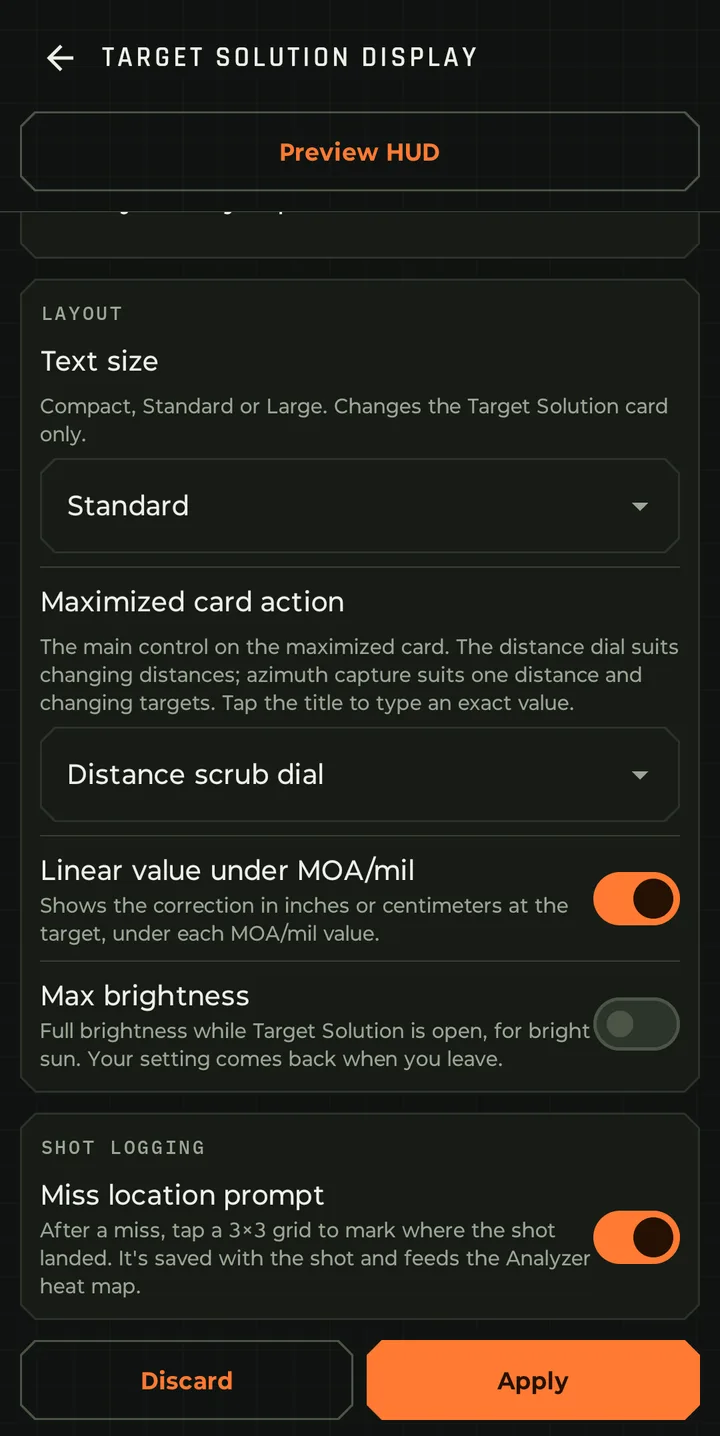
  • Full-screen solution card with large text for reading at the rifle. A distance scrub dial for changing targets on the clock, or azimuth capture for one distance and moving targets.
  • Maximum brightness while the solution is open, for bright sun, and a keep-screen-on option.
Wind, conditions and sensors

Multiple sensors

The goal is to capture as many inputs as possible automatically and keep manual input to a minimum. The more sensors you have, the less time you spend futzing with your solver or pointing your meter in a particular direction for a single wind reading when your solver could be receiving a continuous wind feed in real time without you coming out of the rifle.

  • Simultaneous sensor connectivity. Connect and stay connected to several sensors at once, merged per reading, with stale readings released automatically.
  • A constant, real-time feed from your Bluetooth sensors: Calypso Ultrasonic, Calypso WeatherDot and WeatherFlow Tempest, plus RuuviTag and most sensors that use the standard Environmental Sensing service.
  • Calypso direction calibration, so the meter can face any direction and doesn't need to be moved.
Show 5 moreShow fewer
  • Wind vector smoothing, fixed or per distance band, with a staleness threshold.
  • Auto fill of the solution from Bluetooth, and auto-reconnect to saved sensors.
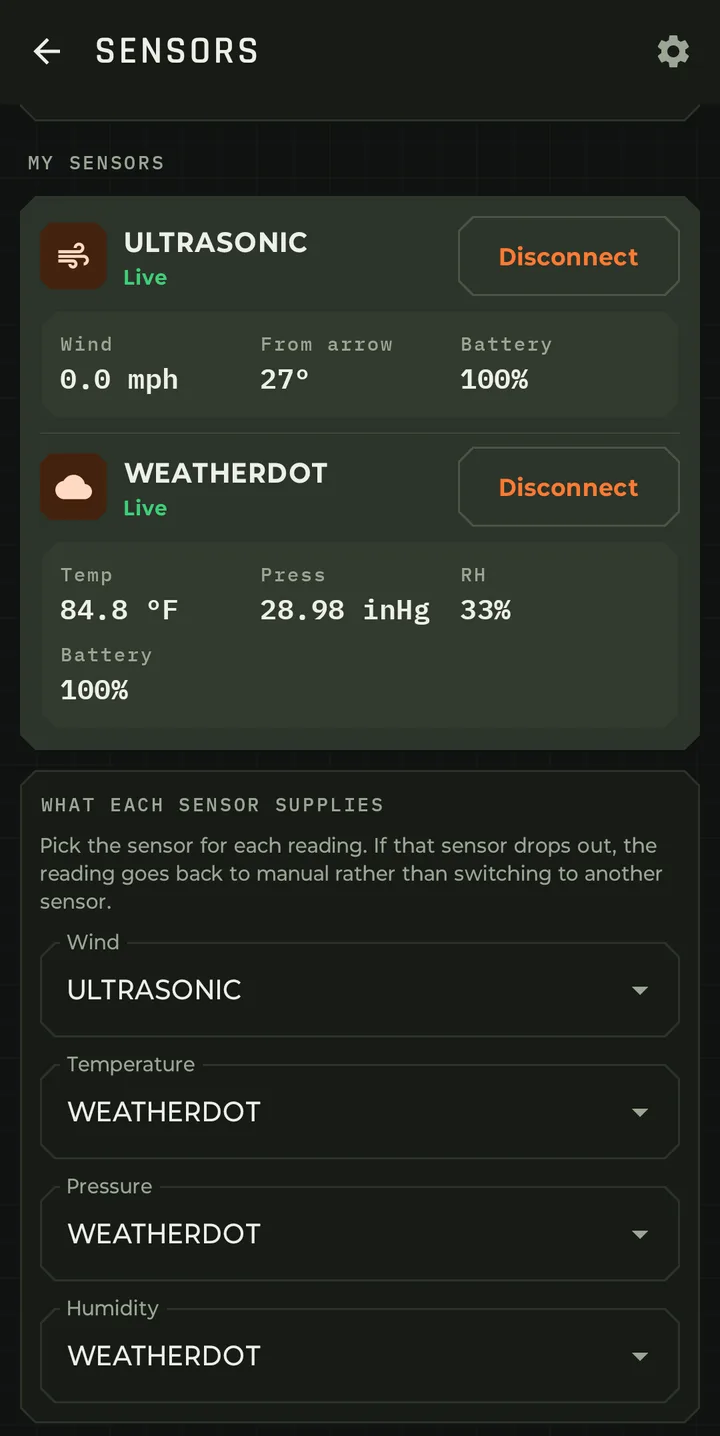
  • Pick the source for wind, temperature, pressure and humidity. If that sensor drops out, the reading goes back to manual rather than silently switching.
  • GPS latitude and compass azimuth captured on the phone, with a GPS power profile you choose. The live heading shows its accuracy, and you can lock the facing once you're set up.
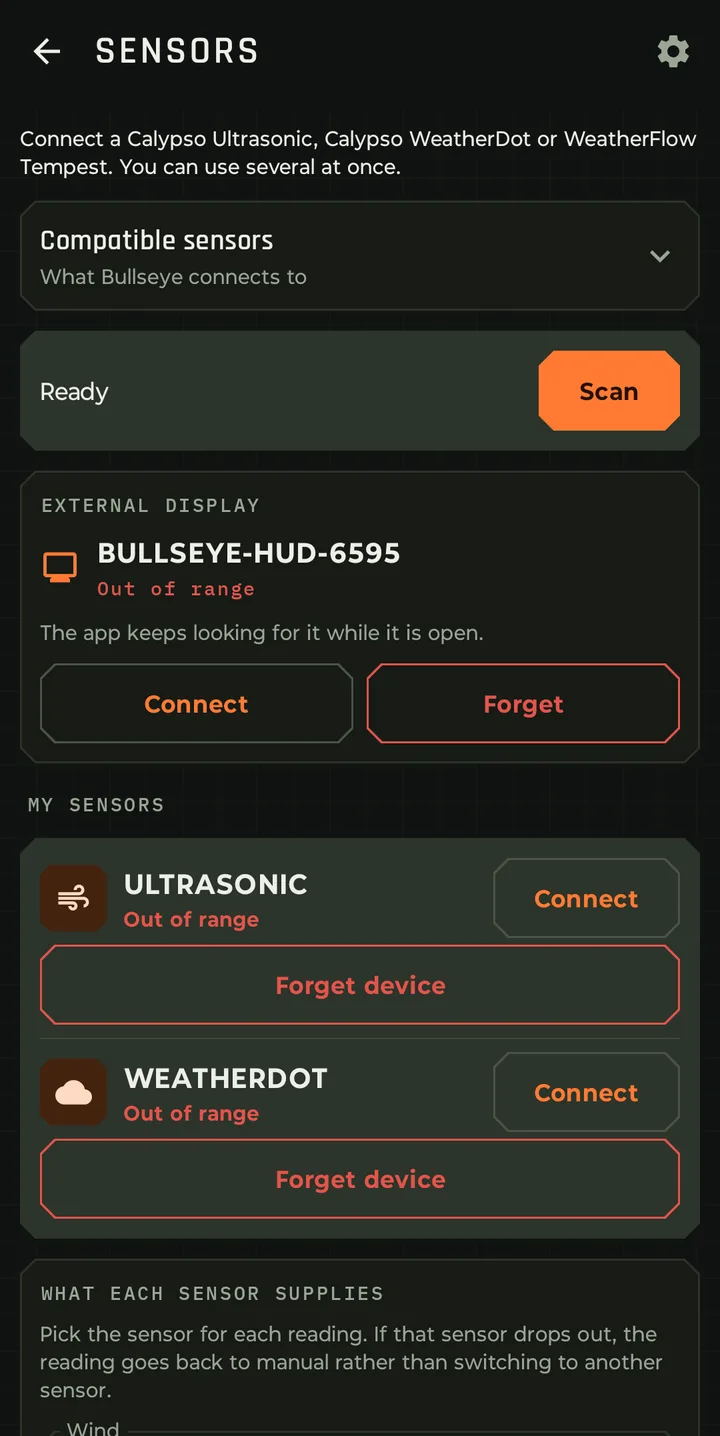
  • Sensor screen with battery and connection state for every device.

Running meters downrange? See the whole corridor →

Live

Live Wind

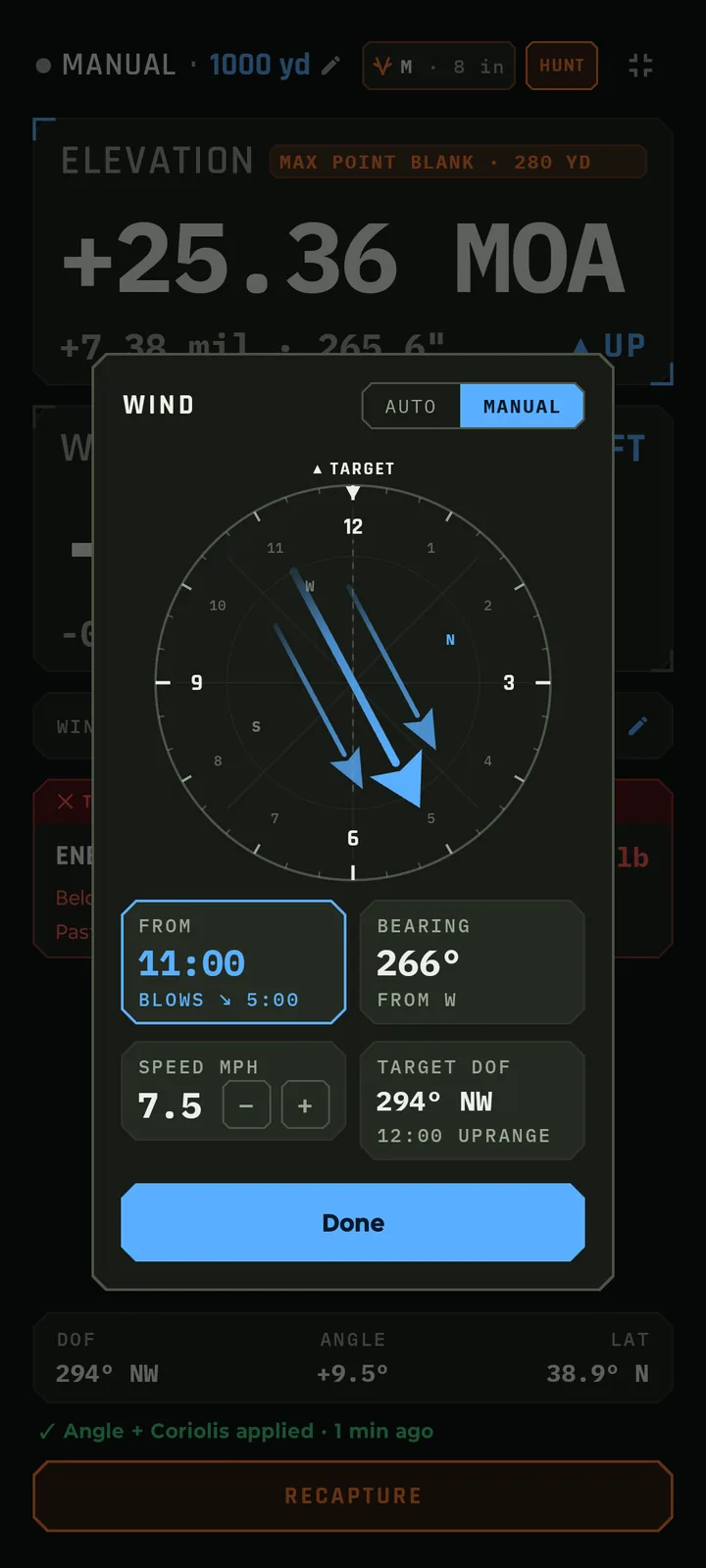
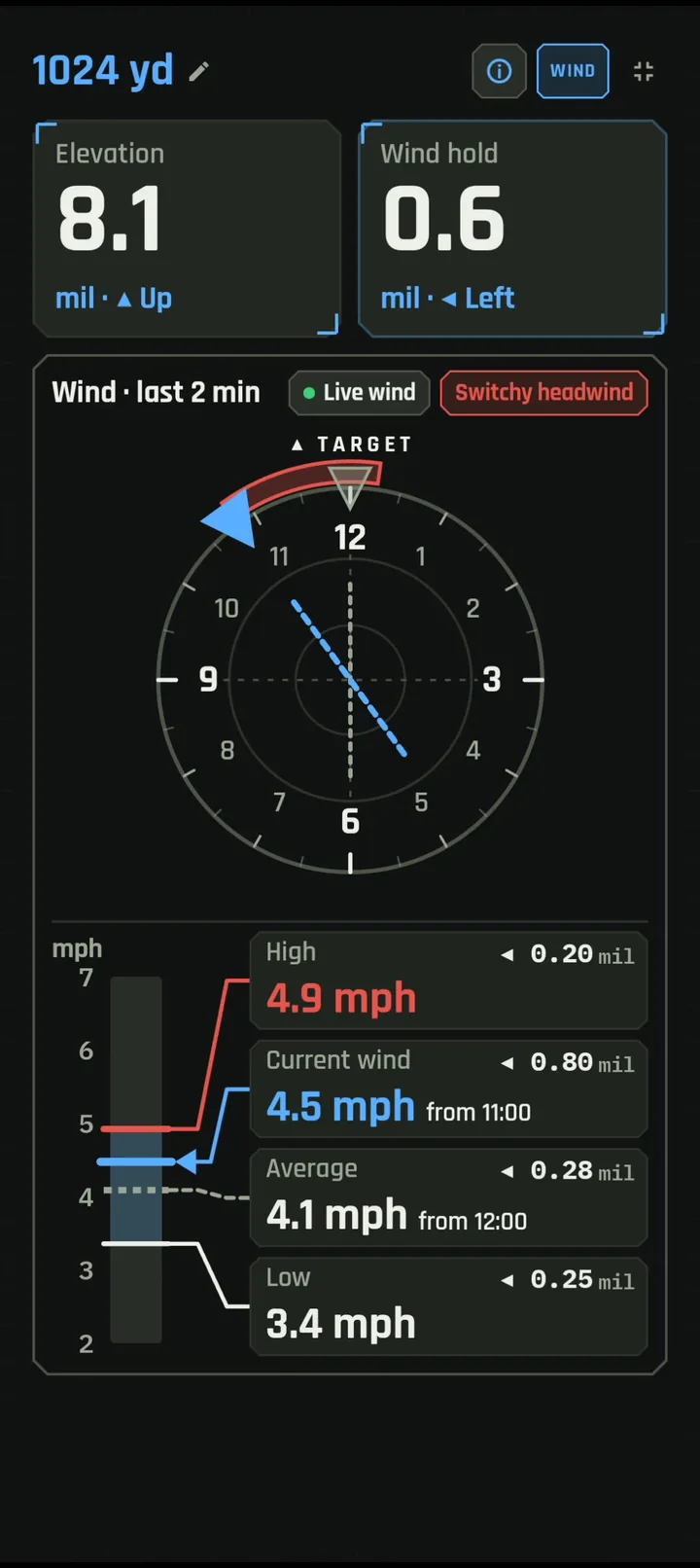
Understand what's happening. Live Wind streams readings from your Calypso wind meter straight into the solver and shows what the wind is doing, and what it means for your hold, as it happens.

  • Your dial, front and center. Elevation and wind hold in big numbers, rounded to the click, with plain Up and Left arrows.
  • A wind clock with your target at 12 o'clock, an arrow for where the wind is coming from right now, the arc it has swung through over the last two minutes, and a label like "Switchy headwind".
  • A speed bar with the wind right now and the High, Average and Low over the last two minutes, each with the hold it calls for. It rescales on its own as the wind picks up or drops.
  • Holds for every condition: the wind right now, the High, the Low and the Average, so you see your range of holds before you break the shot.

See Live Wind in action →

Chronograph

Your chrono, wired into your dope

Pair a chronograph and every shot's velocity streams into Bullseye live. Three features are built on that feed.

Live velocity

Chrono Live Feed Coming soon

Pair your chrono and every shot streams in live over Bluetooth, landing where it's useful: in a velocity check, a load workup, your shot log, or the solution you're about to dial. No retyping numbers off a tiny screen. No spreadsheets.

  • Works with the Athlon Rangecraft Velocity Pro.
  • Import a string straight from the chrono, with no export, file or cable.

Read more about Chrono Live Feed →

Adapt

Adaptive MV

Bullseye compares each reading to your load's MV. After ten readings it starts solving with the speed your rifle is actually shooting today, and keeps adjusting as necessary.

  • The newest reading counts most. A shot far from the rest is left out.
  • Cold bore and clean bore shots keep their own MV.
  • The MV chip always shows whether the adaptive value is in use. Turn it off any time.

Read more about Adaptive MV →

Record

Auto Logging

Every shot logged the moment it's fired. Each reading logs the shot with its measured velocity, the wind and weather at that instant, what the solver dialed, and the rifle, load and barrel round count.

  • 44 data points per shot.
  • Call it when you're ready, by tap or voice, right up until the next reading.
  • Conditions are stamped at the reading. Your call never re-stamps them.

Read more about Auto Logging →

Ballistic solver

A full point-mass engine

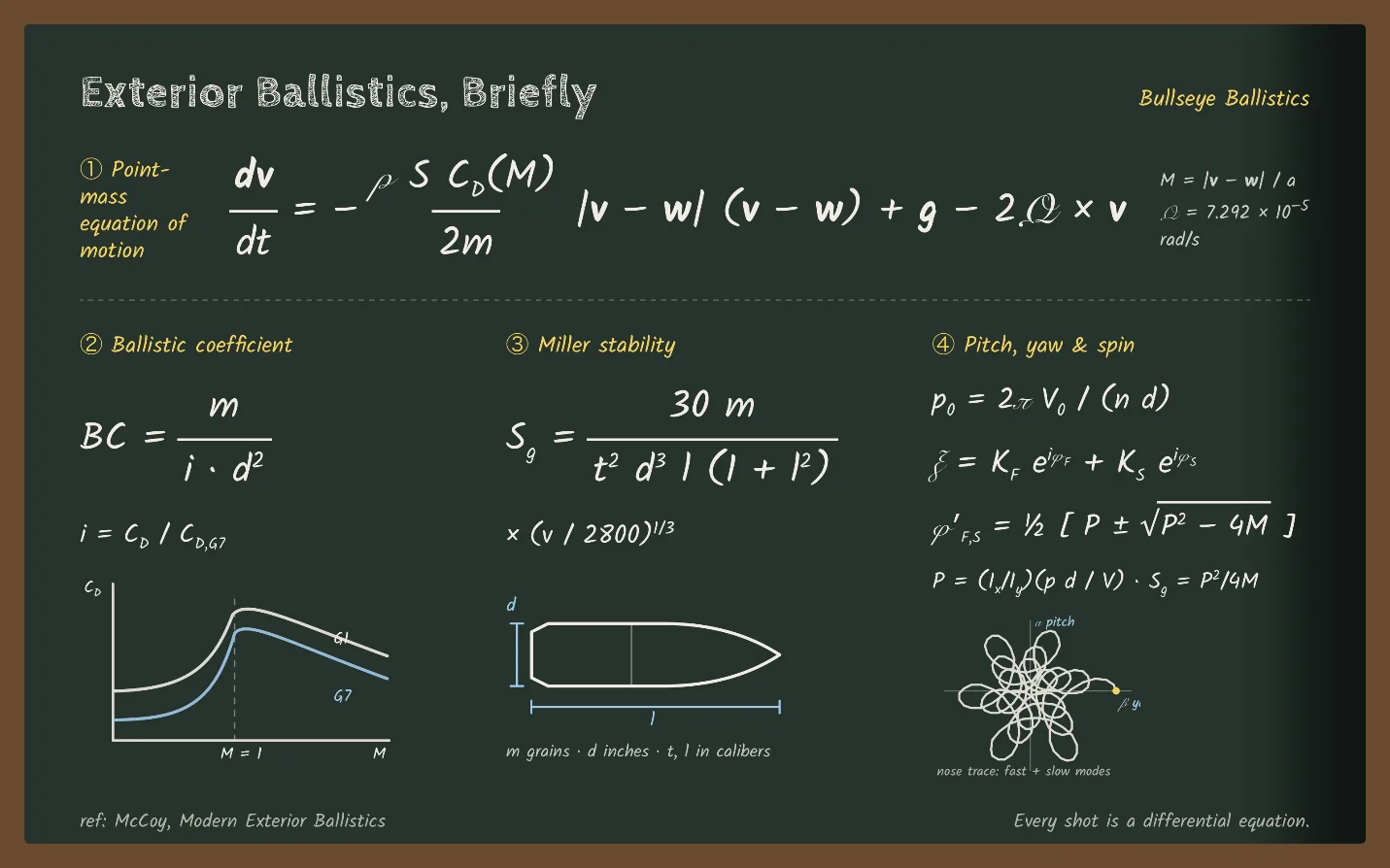
A point-mass trajectory solver using RK4 integration. RK4 traces the trajectory in small increments and checks the rate of change four times during every increment, which is substantially more accurate than one estimate per step. That lets the solver keep updating velocity and position while gravity, aerodynamic drag, wind and Coriolis change throughout the flight.

  • G1 and G7 drag models.
  • Drop, windage, velocity, energy, stability and time of flight at any range, with a full trajectory table. The solver tells you where your bullet goes transonic and subsonic, with its stability and energy on target at that distance.
  • Aerodynamic jump, spin drift and stability factor are calculated and applied, and hit probability is worked out for you.
Show 8 moreShow fewer
  • Coriolis correction from latitude and azimuth, with an automatic-on-launch option.
  • Shot angle sampled from the phone or entered by hand.
  • Atmospherics (temperature, station pressure and humidity) go into the solution, and the density altitude is calculated and displayed.
  • Multiple wind readings blended into the solution, by clock position or absolute bearing.
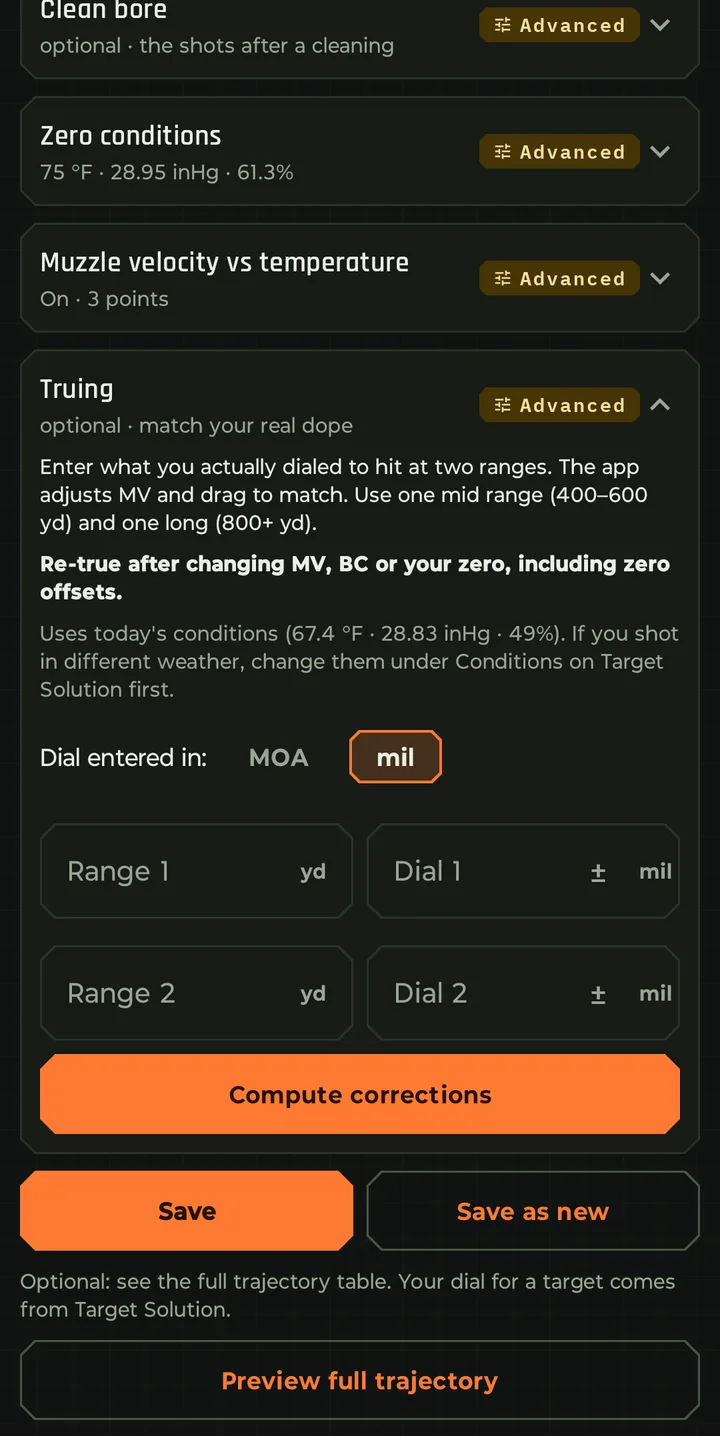
  • Two-point truing to match your observed dope, plus a fit over the misses in your log.
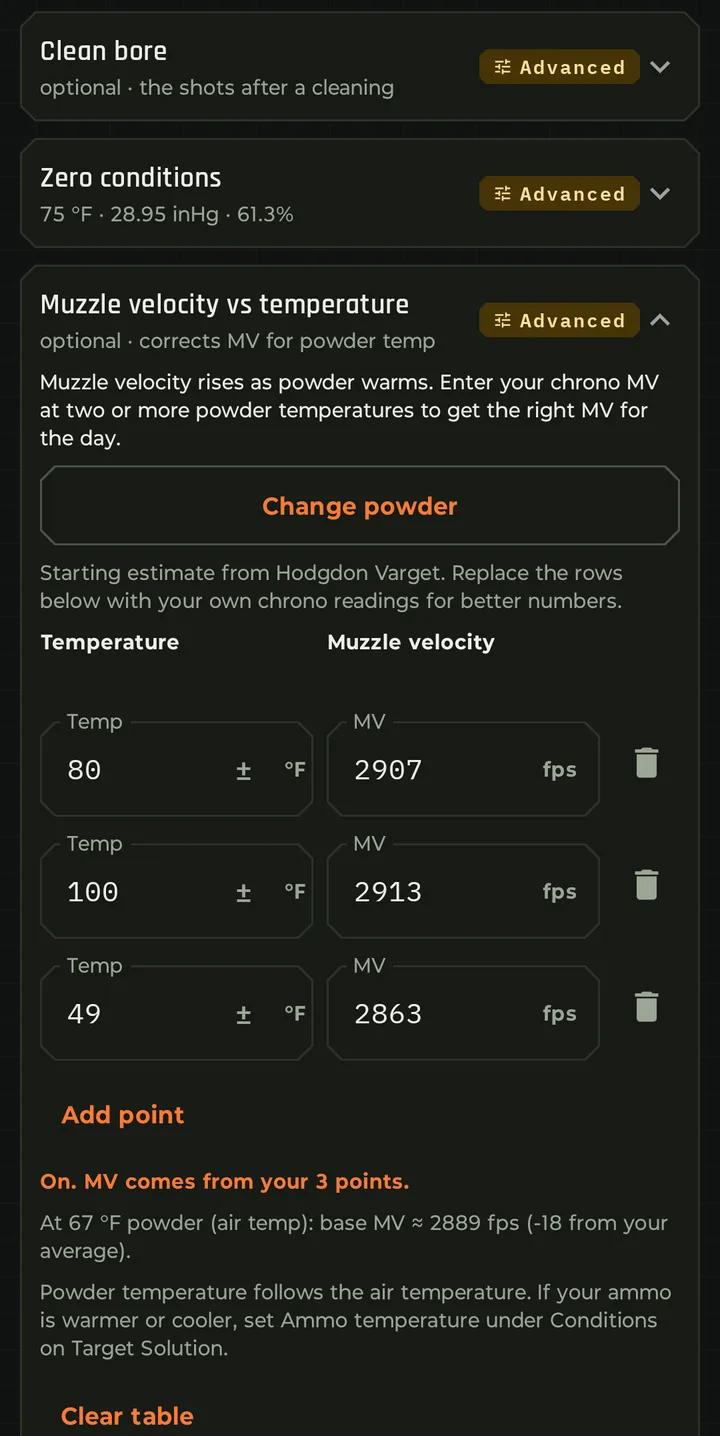
  • Muzzle velocity by powder temperature, from a table you keep per load.
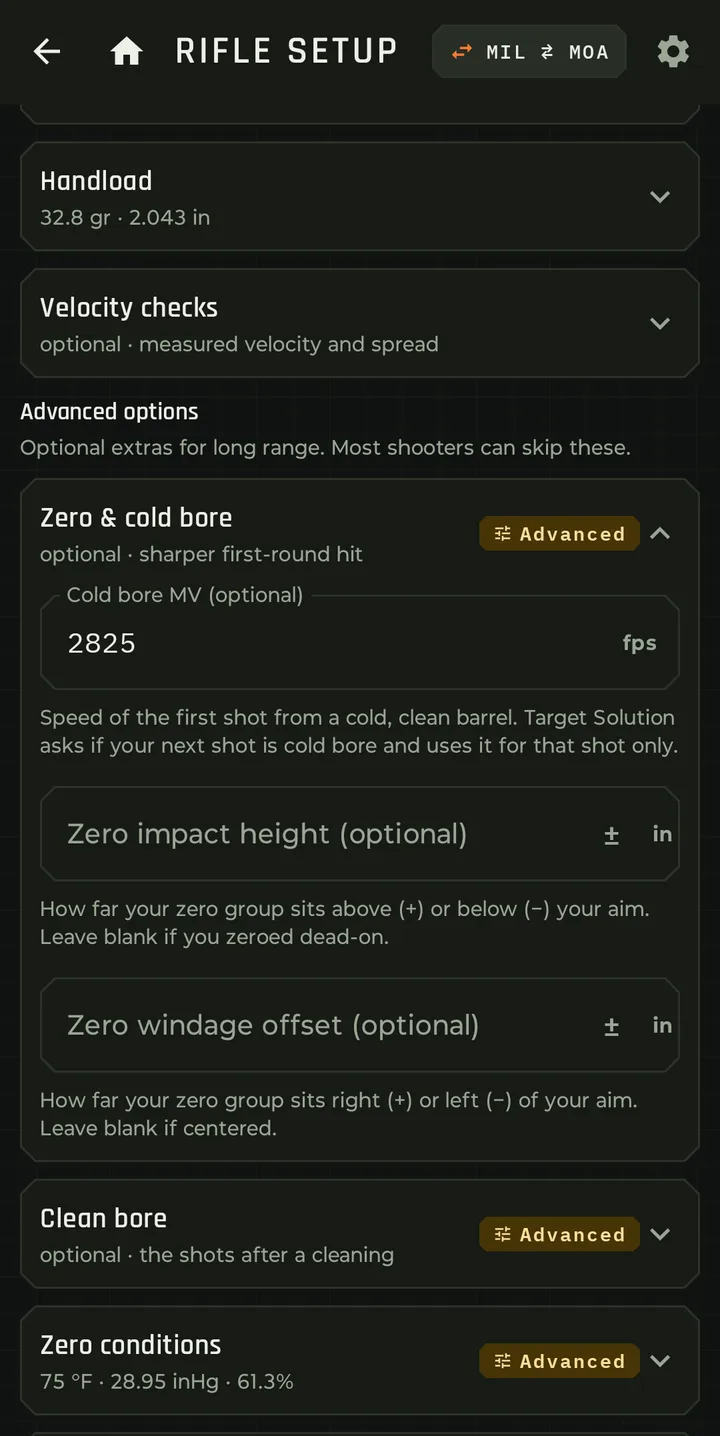
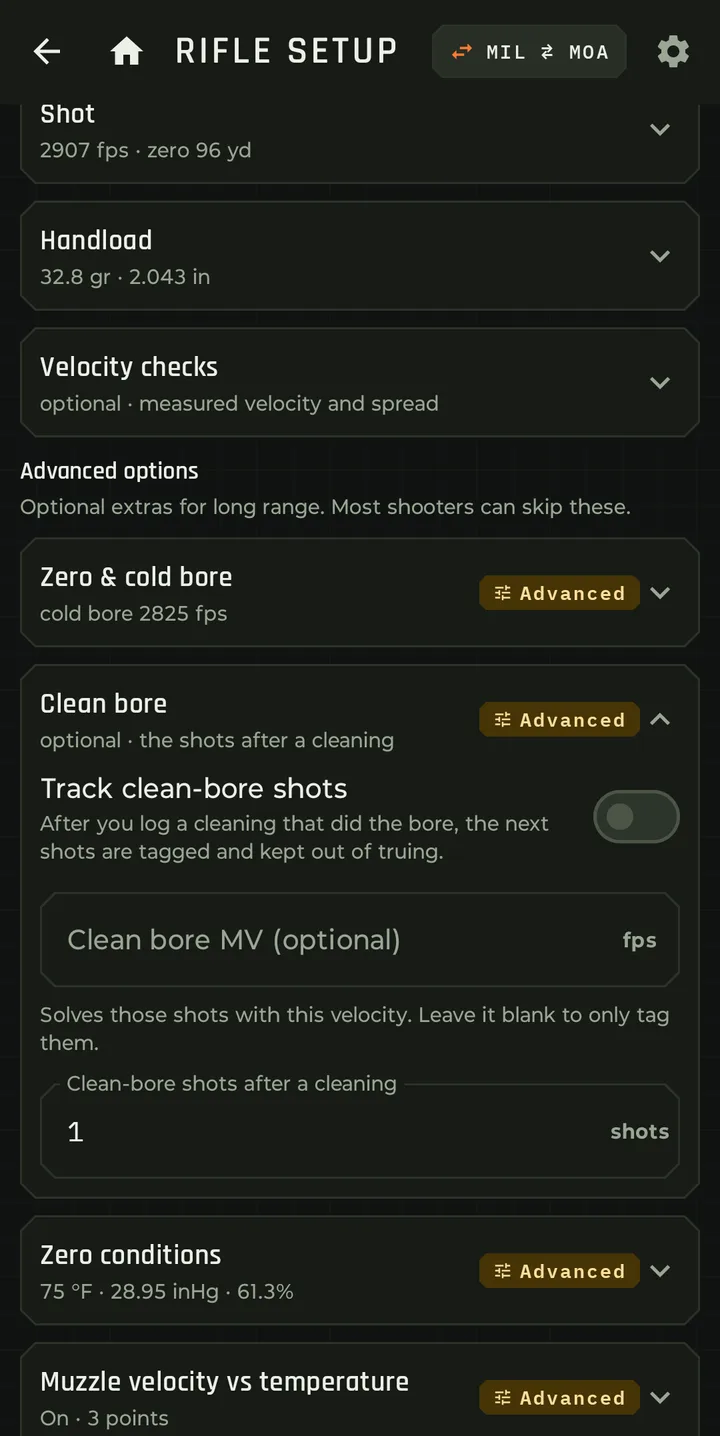
  • Cold-bore and clean-bore offsets for the first shot. You choose whether the solver treats the first shot as cold bore or clean bore.
  • Zero conditions stored per load, so the zero corrects for a change in conditions.
What goes in
  • Muzzle velocity
  • Bullet BC or drag model
  • Zero offsets and zero conditions
  • Sight height and twist rate
  • Temperature, pressure and humidity
  • Wind speed and direction
  • Powder temperature sensitivity
  • Distance, direction and angle
What comes out
  • Elevation correction
  • Wind hold, bracketed
  • Hit probability
  • Stability factor
  • Time of flight
  • Velocity and energy, including on target
  • Aerodynamic jump
  • Transonic and subsonic predictions
Coriolis, spin drift and jump

The Earth turns under the bullet

The Coriolis effect exists because the Earth rotates underneath the bullet while it's in flight. How much it moves the impact depends on your latitude, your direction of fire, the time of flight and the velocity.

  • Shooting north or south mostly creates a vertical effect.
  • Shooting east or west mostly creates a horizontal effect.
  • Longer flight times increase the correction.

For a typical cartridge at around 1,000 yards, Coriolis is usually measurable. It can be several tenths of a mil, and it matters more the further past 1,000 you push.

Bullseye can automatically determine your GPS latitude, your direction to target, the Coriolis correction, spin drift and aerodynamic jump, and roll them all into the final firing solution. You can also type the latitude and azimuth by hand.

Rifles and loads

Set it up once

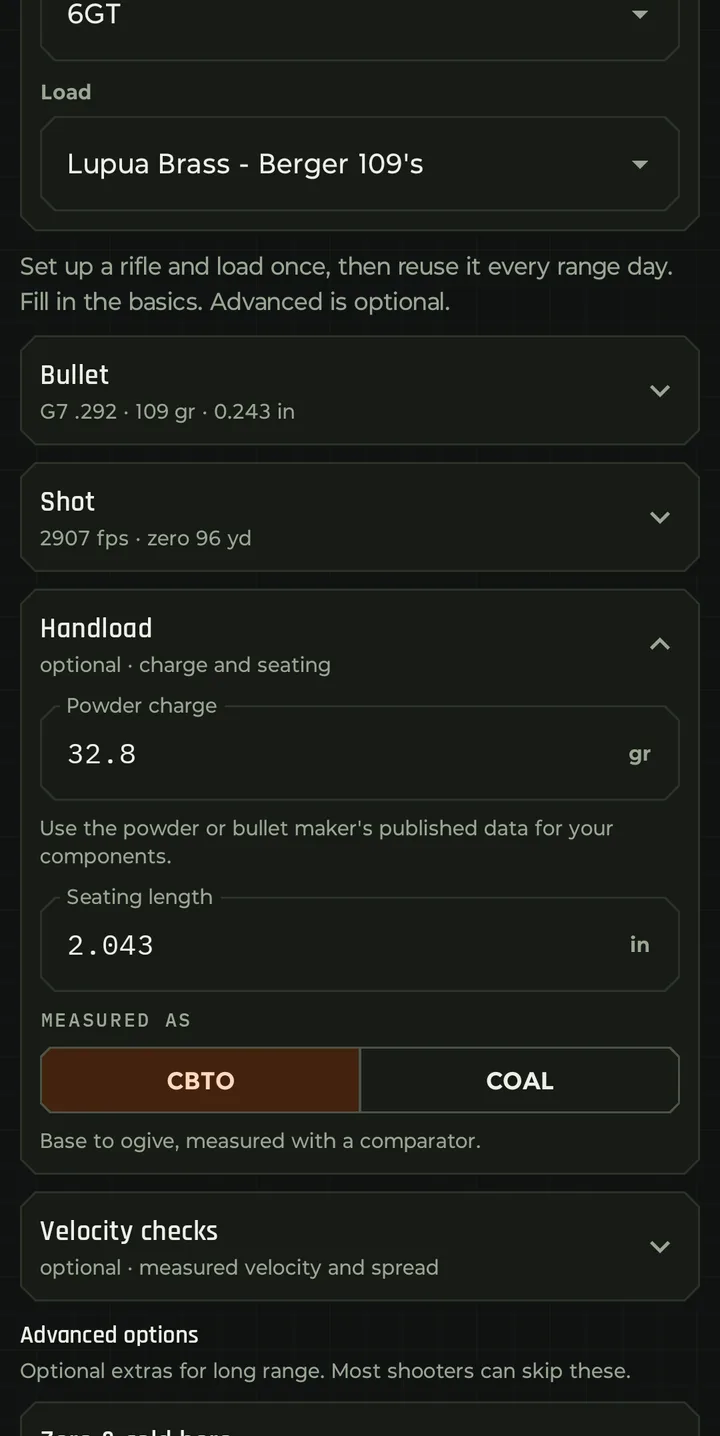
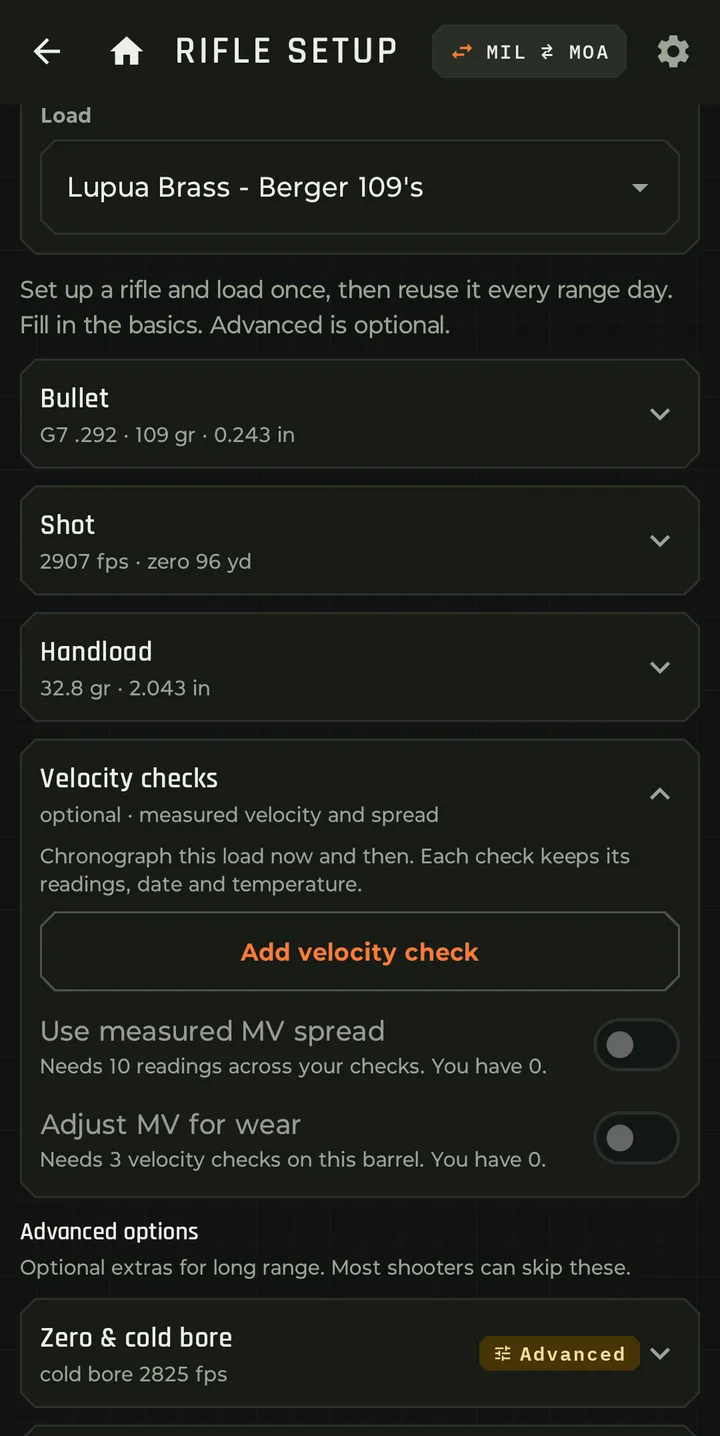
Any number of rifles, each with nested loads. Select the current rifle and load once and it's used across the whole app.

  • Rifle: name, bore diameter, twist rate and direction, sight height.
  • Load: bullet weight, diameter and length, drag model and ballistic coefficient, muzzle velocity, zero range, zero conditions, maximum range and range step.
  • Advanced per-load options: zero and cold bore, zero conditions, muzzle velocity versus temperature, and truing.
Show 3 moreShow fewer
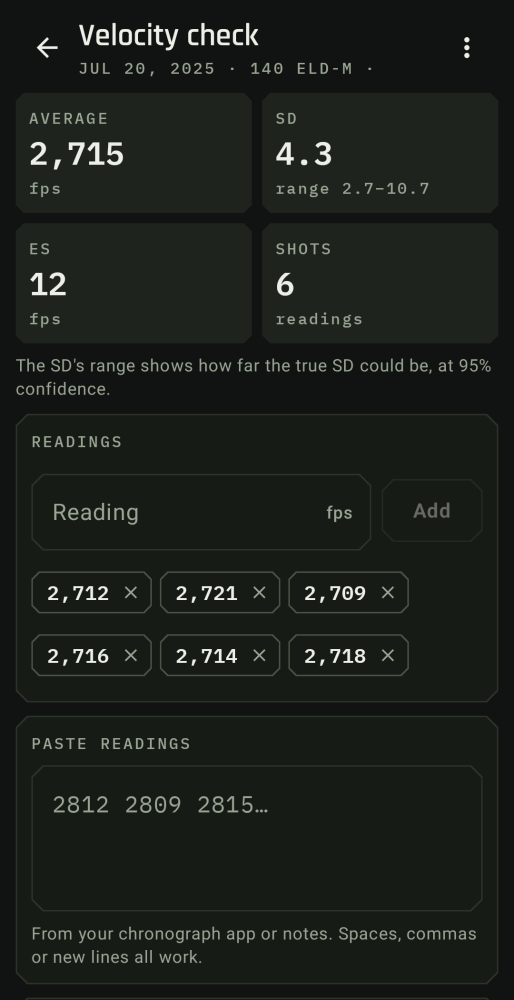
  • Velocity checks from your chronograph, kept with the load. Use the measured spread in hit probability, and let Bullseye adjust velocity as the barrel wears.
  • Copy, rename and delete loads; rename and delete rifles.
  • Preview the full trajectory for the load.
Shot log and analysis

Beyond paper DOPE

The app records each shot: hit or miss, where it landed on the target, the distance, the environmental conditions at the time of the shot, and the time. That builds a real-world performance database instead of relying on paper DOPE alone.

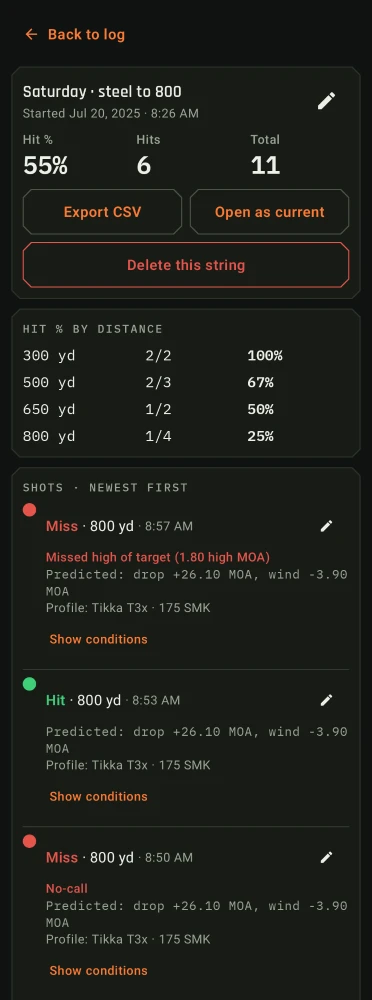
  • Shot strings with a per-shot call (hit, miss with location, no-call), distance, name, notes and where each number came from.
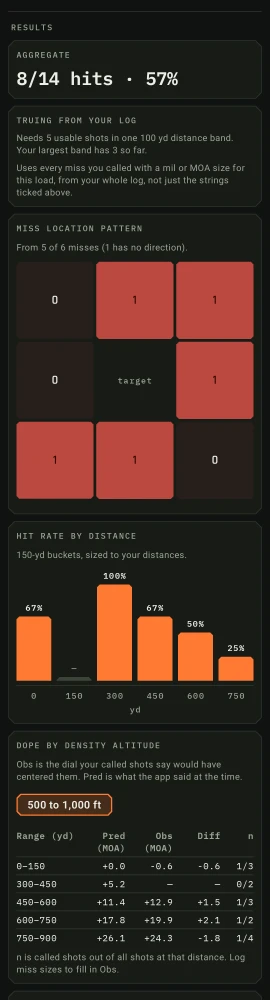
  • Aggregate analysis across the strings you select: hit rate by distance, miss location pattern, and cold bore versus warm bore.
  • Dope by density altitude, and predicted versus observed for every shot.
Show 3 moreShow fewer
  • Sensor payoff: how much your live sensors improved the solution.
  • Truing from your log: a muzzle velocity offset and drag scale fitted to your logged shots, applied with one tap.
  • CSV export of any shot string.
Groups and group analysis

Analyze your groups

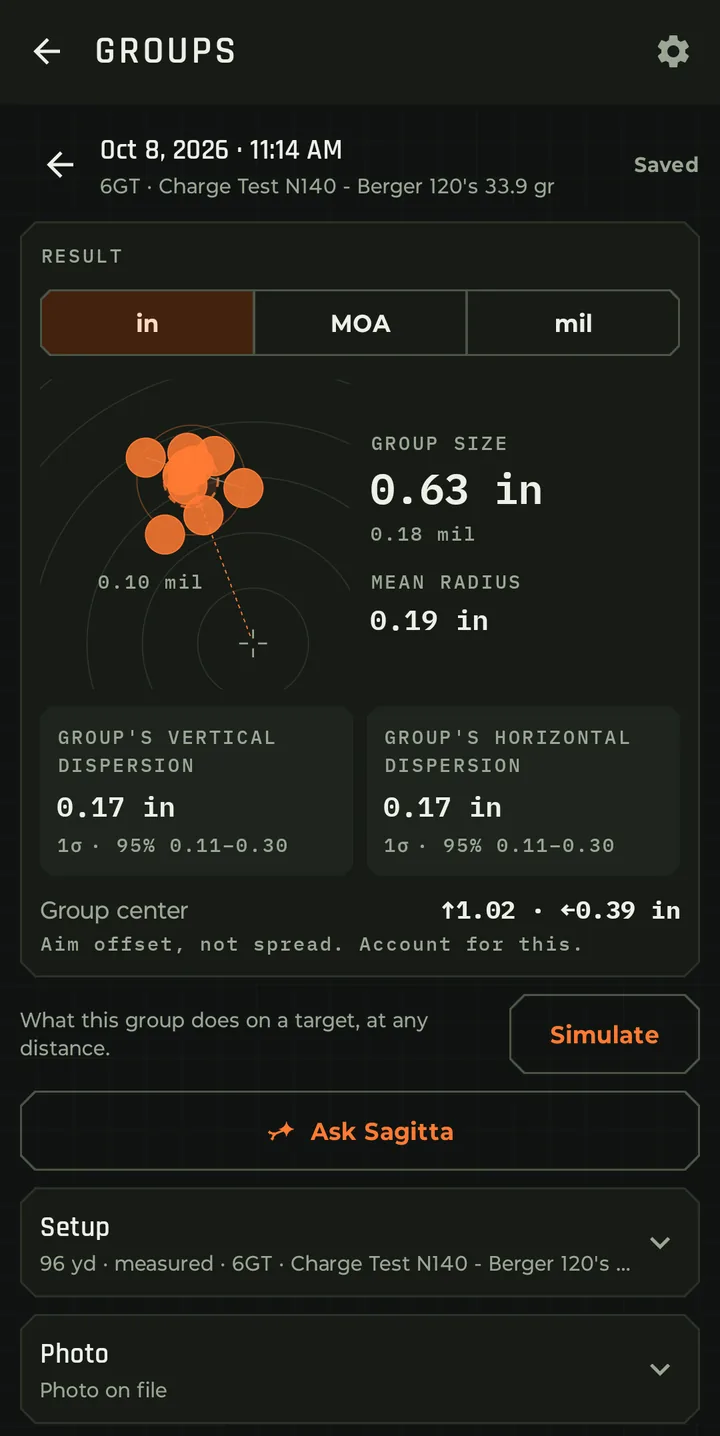
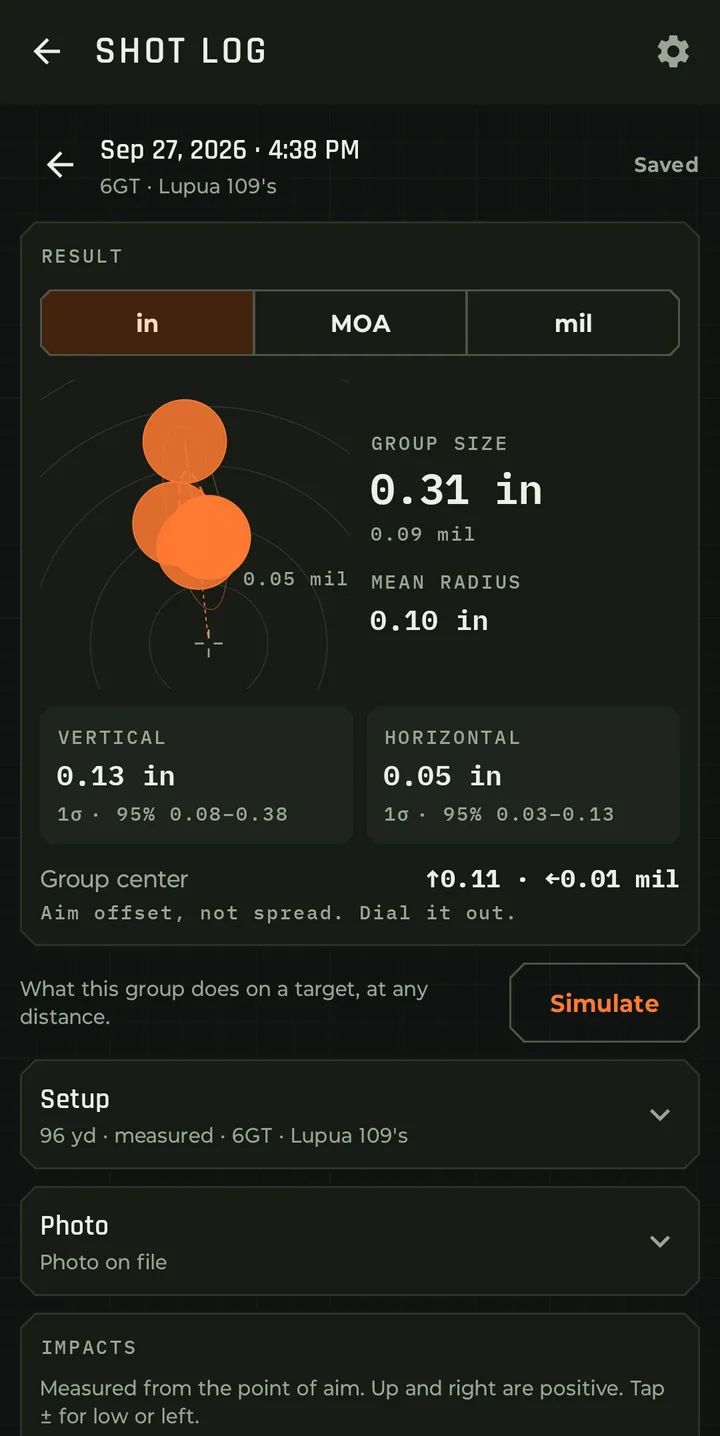
Record groups three ways: measured from a target photo, entered shot by shot, or entered as the statistics you already have.

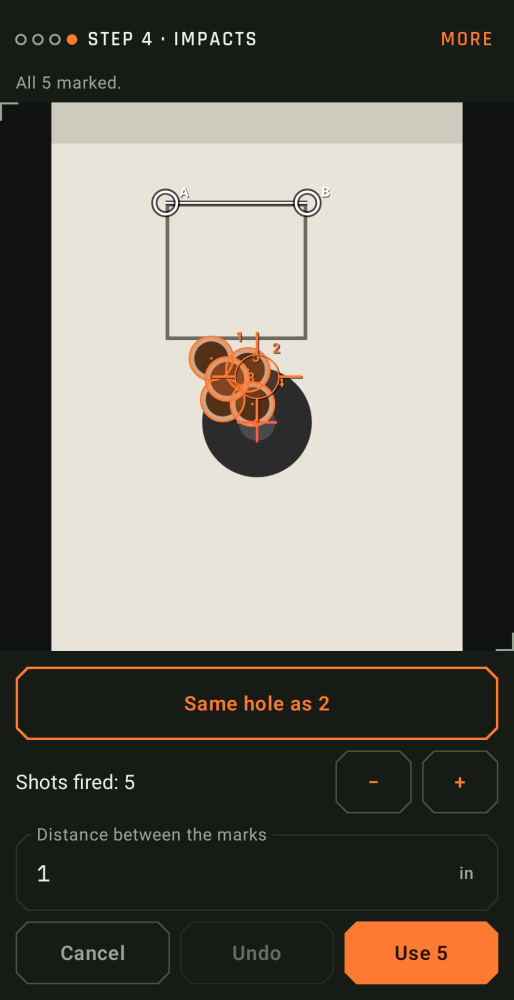
  • Group photo measuring: camera or gallery, reference distance calibration, perspective correction, then place and nudge each impact under a fixed crosshair.
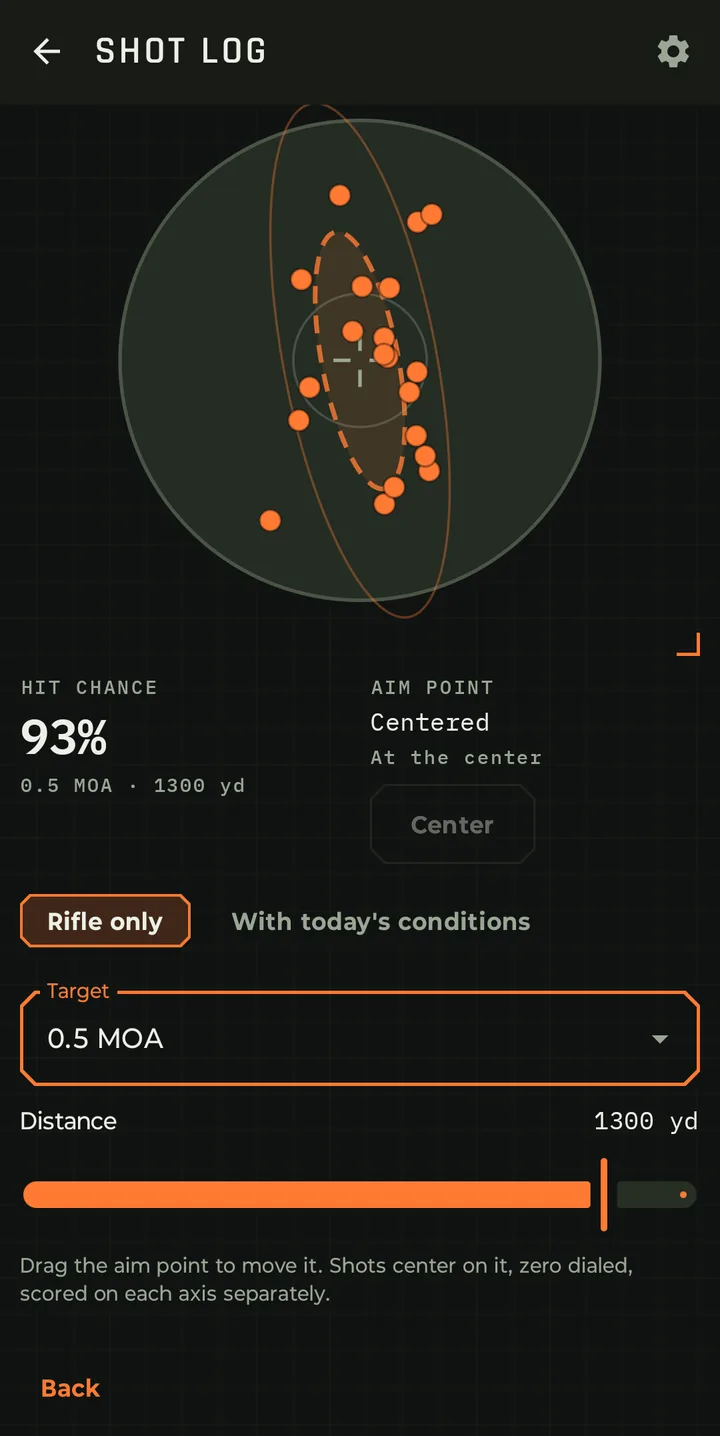
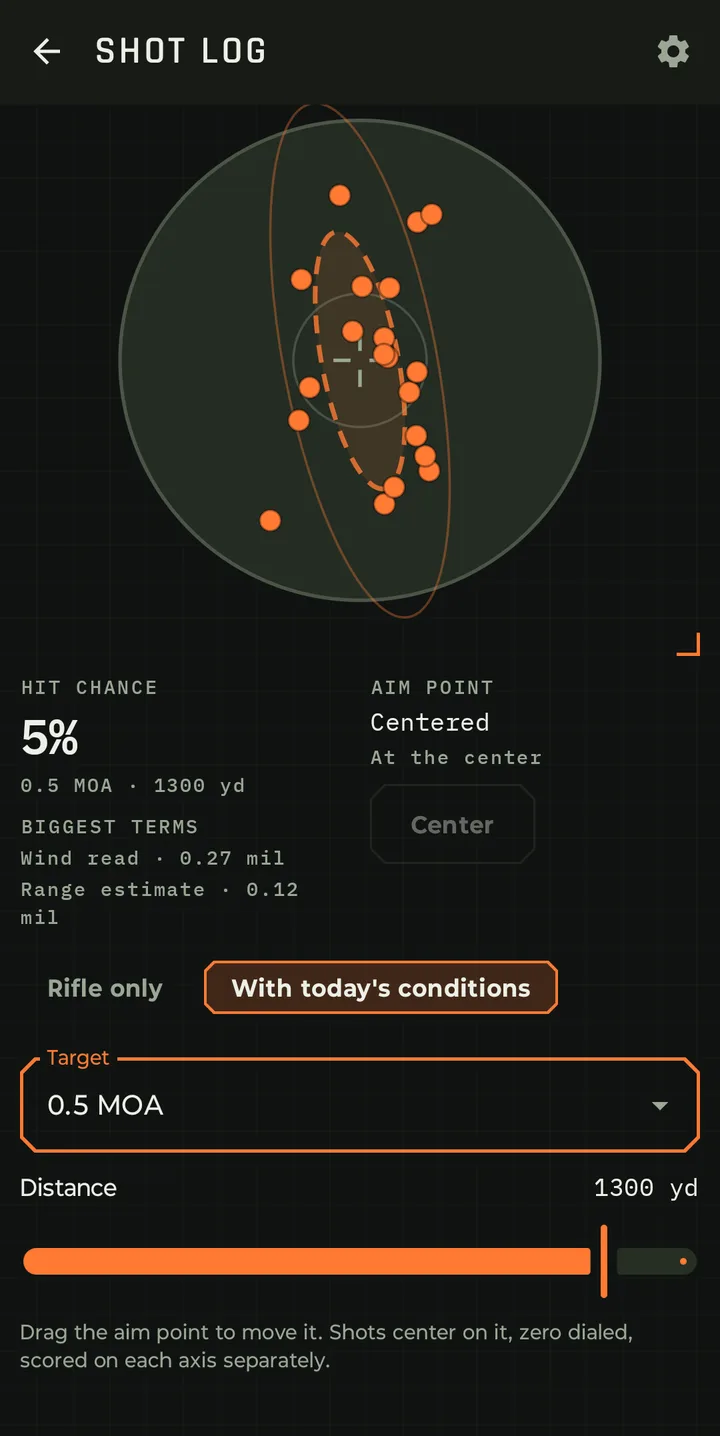
  • Group dispersion plot: the app analyzes the horizontal and vertical position of every shot and plots the group's size, shape, direction and center. One and two sigma ellipses, scale rings, the aim point, and holes drawn at caliber scale.
  • The numbers: per-axis standard deviation with bias correction and a 95 percent confidence interval, extreme spread, mean radius, and the group center's offset from your aim point. In inches, centimeters, MOA or mil.
Show 5 moreShow fewer
  • Pooled per rifle and load. The pooled dispersion feeds the hit probability.
  • Dispersion simulator: a saved group on any target preset at any distance, with the target drawn to shape and a shot cloud colored by hit or miss.
  • Movable point of aim on the simulator, read out as an offset in your angular unit and in inches. See figures for the rifle only, or with today's conditions.
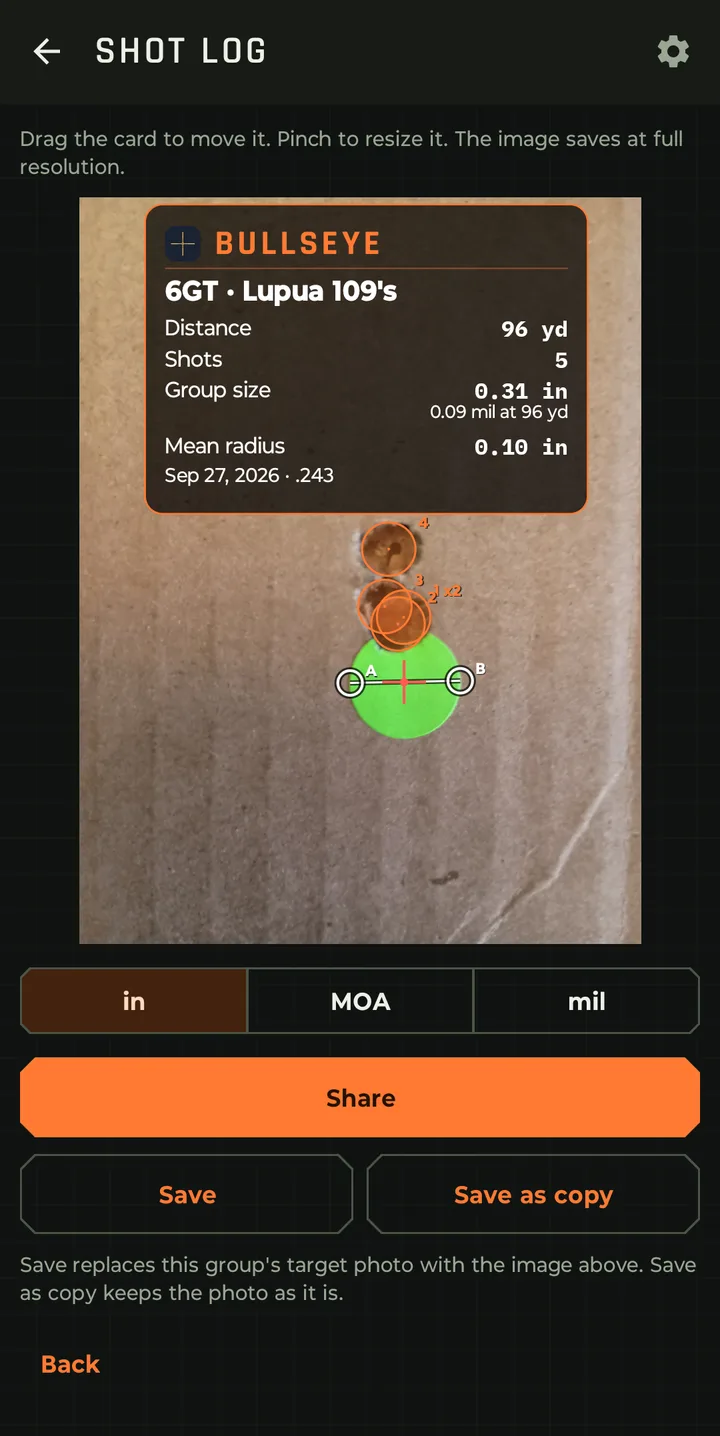
  • Export an annotated target image with the group's statistics.
  • Group list with thumbnails, multi-select and batch delete.
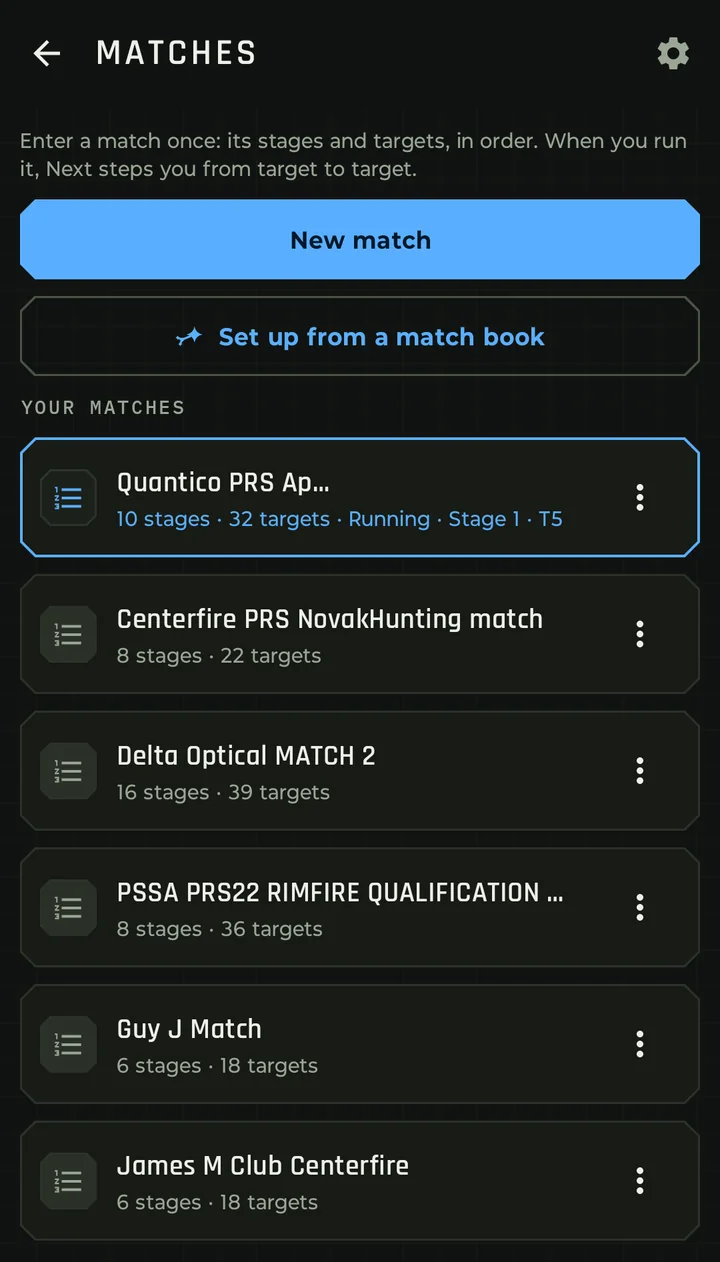
Matches

Walk it once, then shoot it

  • Builds the match from the match book: upload the match book PDF, or a photo of a stage card, and Sagitta sets up every stage, position, target, distance and size for you, with the Match Director's notes. Uses the optional Sagitta plan.
  • Matches with stages and targets in engagement order, with a size and label per target.
  • Match run: step through the stages and targets from the solution screen with no distances to type.
  • Match briefing and details per stage: time limit, round count and position. Changes save as you go.
  • Every shot you log during the run is tagged with its stage and target.

More on Matches

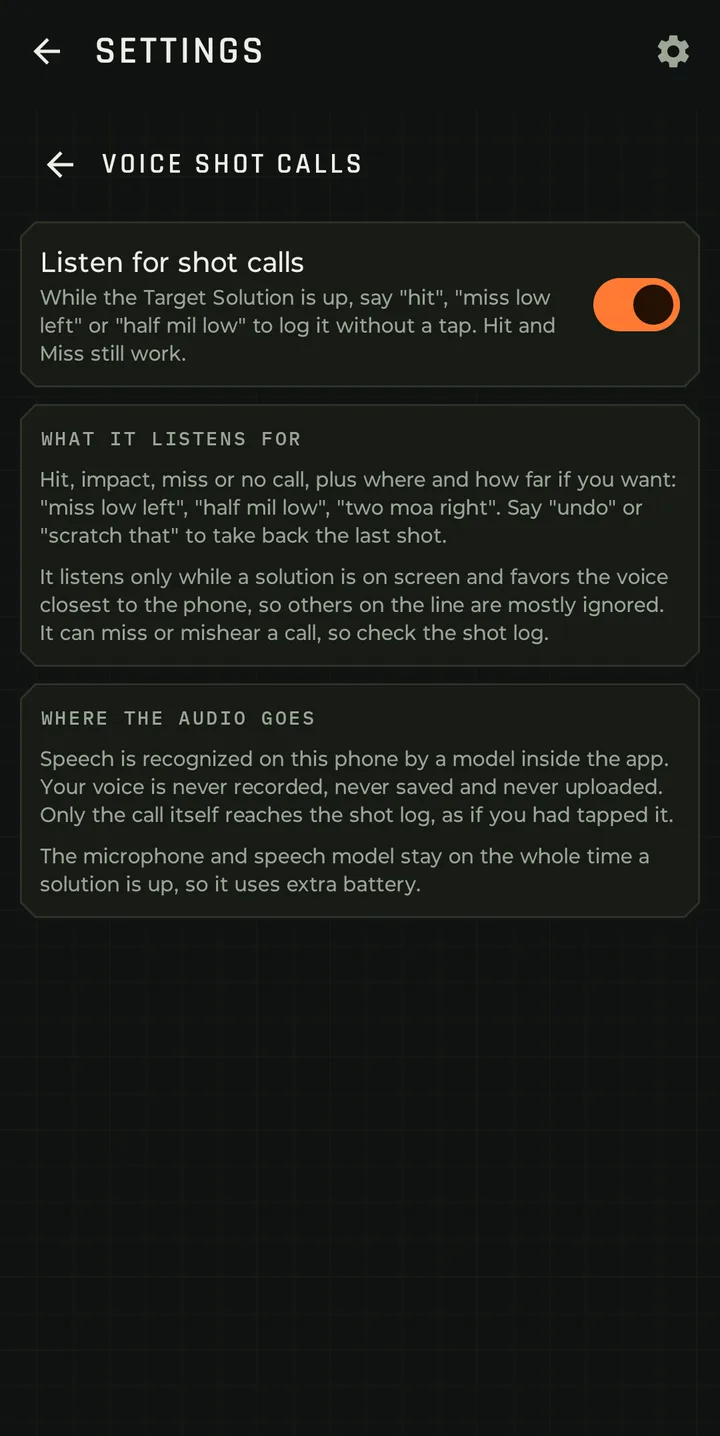
Voice shot calls

Stay in the rifle

Optional, and off by default. Speak hit, impact or miss, the direction and how far off the shot was, and it's logged. For example, after your shot you say "miss, three tenths mil left", and the app captures and logs it with the atmospherics and wind at that moment.

  • On-device speech recognition. Audio never leaves the phone and is never written to a file.
  • Impulse blanking and a near-field gate keep the shot itself, and your neighbors on the line, from being heard as calls.
  • A follow-up window for adding a direction after the call. "Undo" or "scratch that" takes the last shot back.
  • Your choice of what the app listens for, and plain words about where the audio goes. It listens only while a solution is on screen.
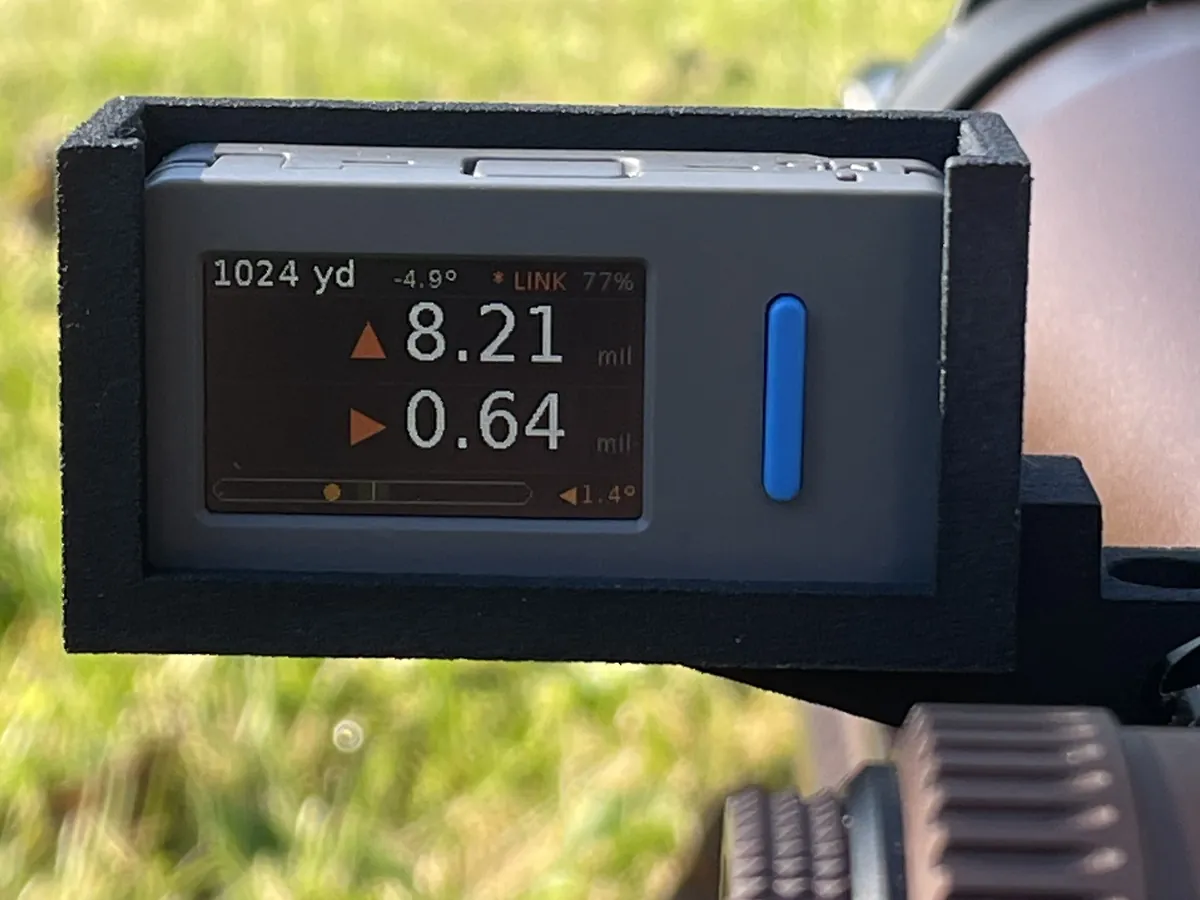
External HUD display

The dial on the rifle

Pair the Bullseye Ballistics External Display and the live solution streams to it. Mount it where you can see it from behind the scope, and the phone can stay in your pocket.

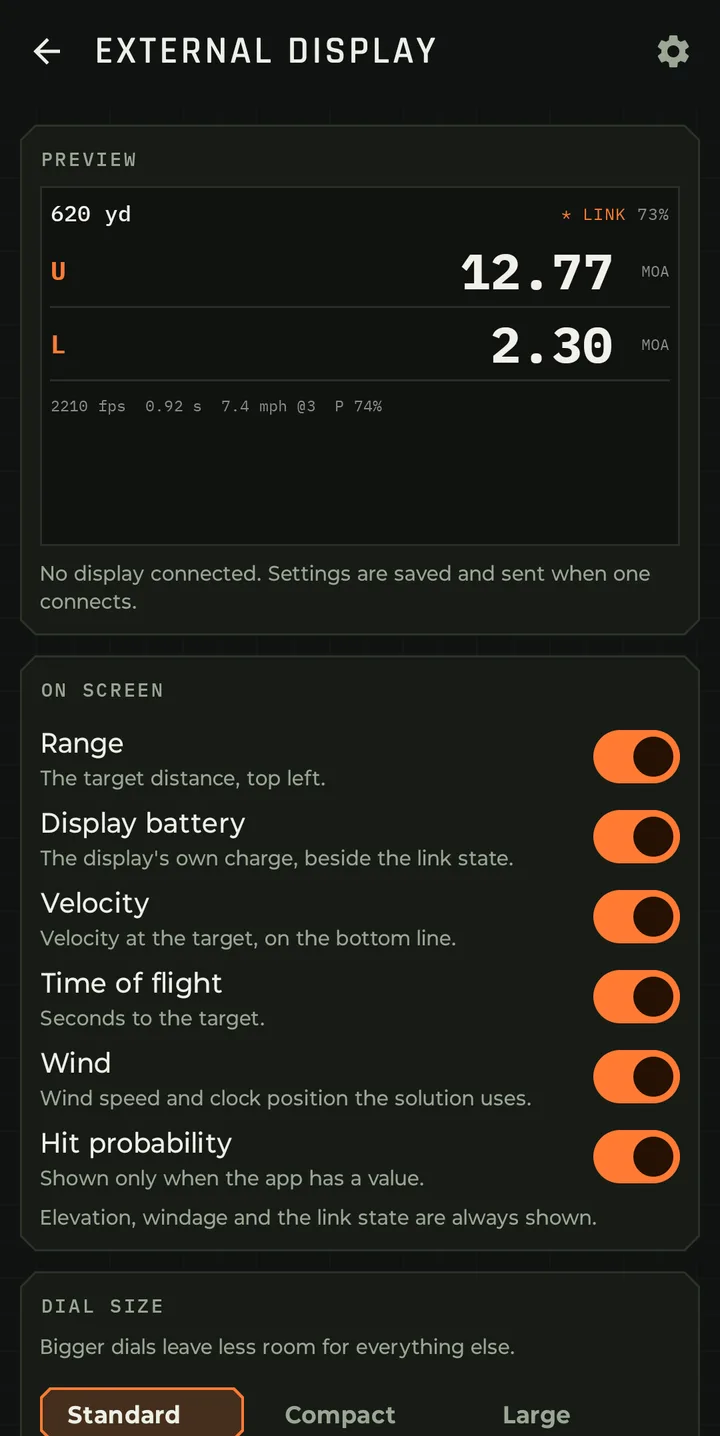
  • Customize the HUD: choose what the display shows and in what order, with a preview. Range, elevation, windage, velocity, time of flight, wind, hit probability and the display's own battery.
  • Brightness and dial size set from the phone.
  • Paired on the sensors screen like any other device, with its link state and battery.

More on the External Display, and try the simulator

Stability Calculator

Will your bullet fly the way your solver thinks it will?

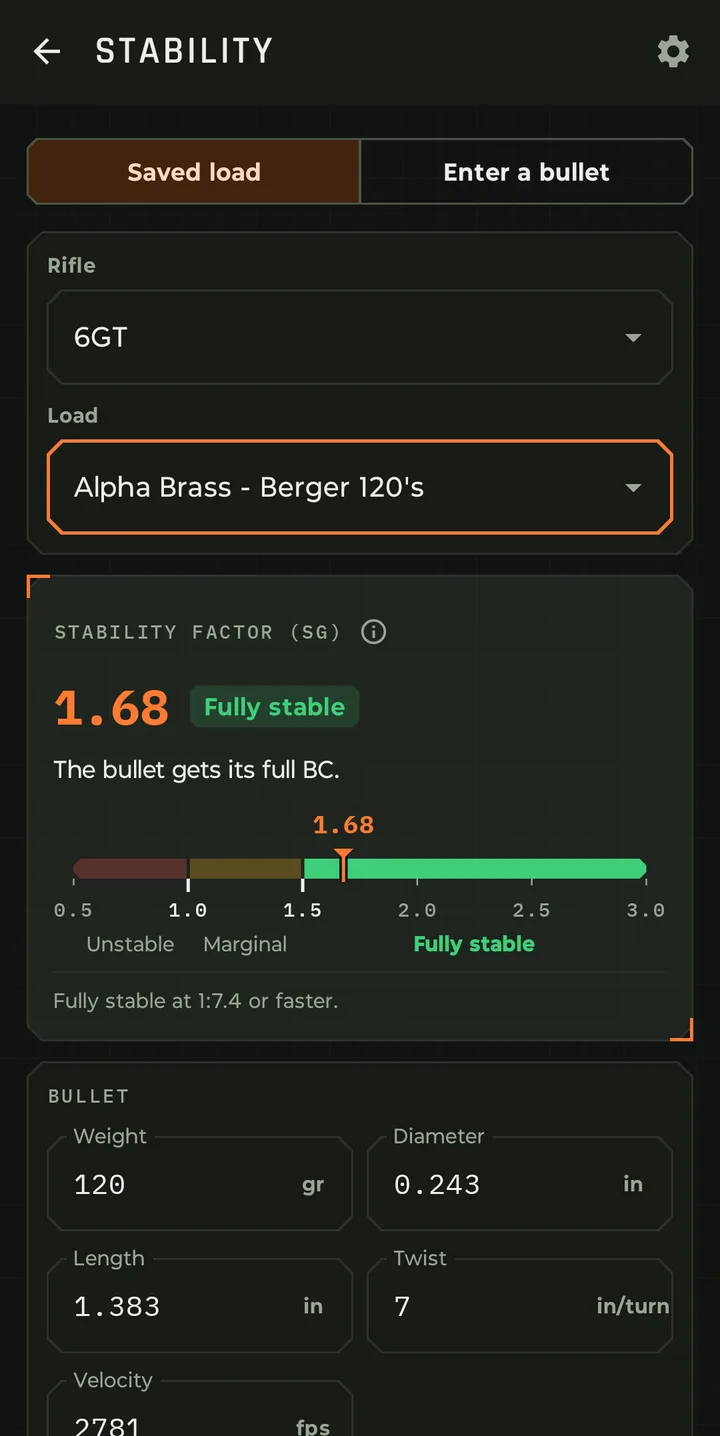
Your ballistic solver is only as good as the numbers you give it. One number that often gets skipped is the Stability Factor (Sg). It decides whether your bullet actually gets the BC printed on the box. Bullseye Ballistics uses Sg in every trajectory it calculates. With the Stability Calculator, you can see that number, test it and plan around it.
What is Stability Factor?

A bullet leaving the muzzle wants to tumble. The spin from your barrel's rifling acts like a gyroscope and keeps it pointed nose-forward. The Gyroscopic Stability Factor (Sg) measures how well that spin does the job for a given bullet, twist rate and velocity.

Sg depends on:

  • Bullet weight, diameter and length. Longer, heavier bullets need more spin.
  • Barrel twist rate. A faster twist (smaller number) adds stability.
  • Muzzle velocity. More speed means more spin.

How to read the number:

SgRatingWhat it means
Below 1.0UnstableThe bullet can yaw or tumble. Expect keyholes and no predictable flight.
1.0 – 1.5MarginalIt flies, but the effective BC drops and groups can open up. Long-range drops won't match your solver.
1.5 and upFully stableThe bullet gets its full BC. This is where you want to be.

The marginal zone is easy to miss. A bullet at 1.3 looks fine at 100 yards. At 1,000 yards, the lower BC means more drop and more wind drift than your dope predicts, and the cause is hard to find. The Stability Calculator flags it before you waste time and components.

What the Stability Calculator does

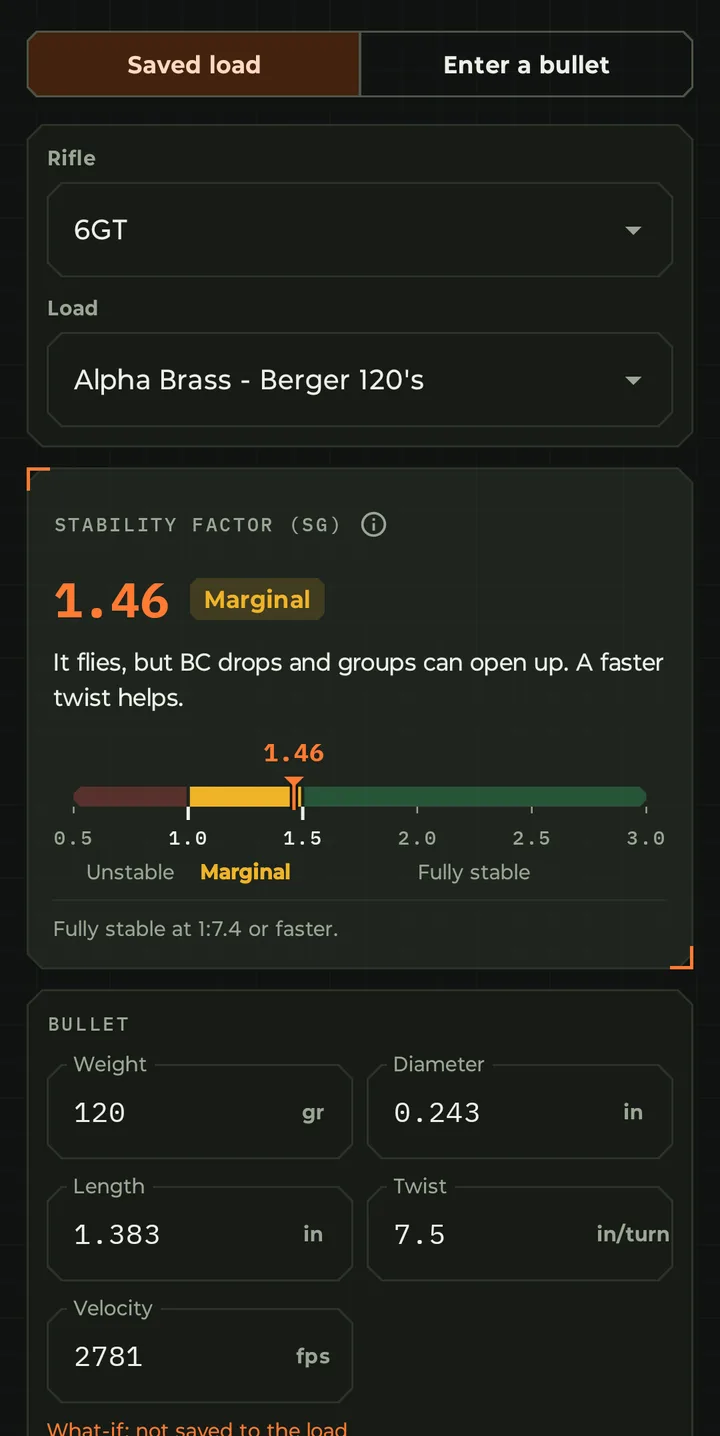
  • See your Sg at a glance. You get a large, color-coded readout and a gauge that runs from 0.5 to 3.0, split into Unstable, Marginal and Fully stable zones, with a marker showing where your bullet lands. Under the gauge, a plain-language note explains what the number means for your shooting.
  • Start from a saved load or from scratch.
    • Saved load: Pick a rifle and one of its loads. The weight, diameter, length, twist and velocity fill in automatically.
    • Enter a bullet: Type in any bullet's specs to check it before you buy it.
  • Run "what-if" scenarios. Every field can be edited. You can change the twist rate, try a different velocity or swap in a longer bullet, and the result updates right away. What-if changes are clearly marked "not saved to the load," so you can experiment without overwriting your real data.
  • Get a twist recommendation. The calculator tells you the slowest twist that keeps the bullet fully stable, for example "Fully stable at 1:7.4 or faster." That's useful when you're ordering a barrel or choosing between two.
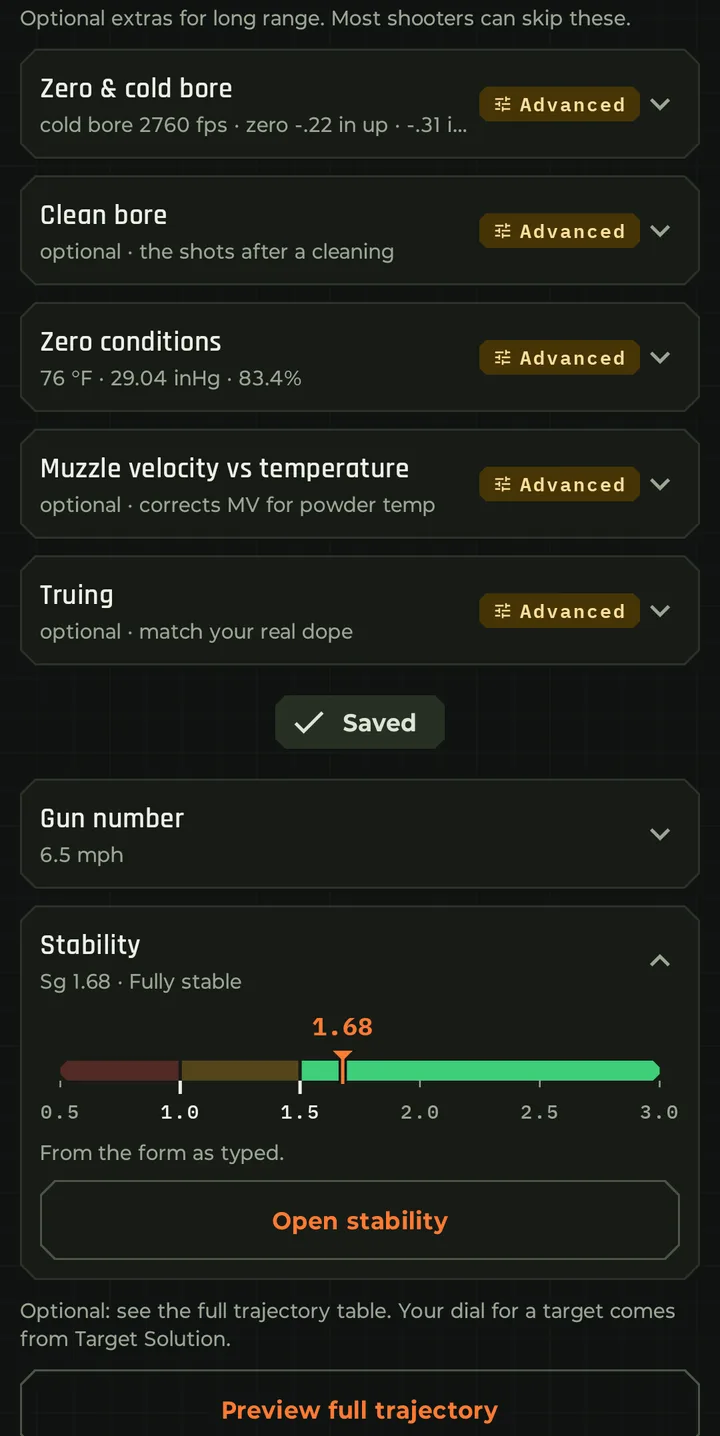
  • Stability is built into every load. Each load has a Stability card next to Gun Number. It shows the load's current Sg and rating, a mini gauge and an Open stability button. That button opens the full calculator with that load's data already filled in.
  • One tap from the home screen. The Stability Calculator has its own tile on the home screen.

Example: choosing a twist rate

Take a 6GT shooting Berger 120-grain bullets (1.383" long) at 2,781 fps:

  • 1:7 twist → Sg 1.68, Fully stable. The bullet gets its full BC.
  • 1:7.5 twist → Sg 1.46, Marginal. It flies, but BC drops and long-range performance suffers.

A half-inch difference in twist moves this load from fully stable to marginal. If you're about to buy a barrel for this bullet, the calculator just told you which one to order.

Who it's for

  • Precision and PRS shooters running long, high-BC bullets near the edge of their twist rate.
  • Handloaders testing new bullets before buying a box.
  • Anyone buying a barrel who wants to pick the right twist the first time.
  • Shooters chasing dope that doesn't match, who want to rule out marginal stability as the cause.
Account and cloud backup

Optional, and yours to delete

  • Optional sign-in with email and password or with Google. Required for AI and cloud backups.
  • Cloud backup of rifles and loads, the shot log, group measurements, matches, load development, barrel and cleaning records, and settings.
  • What stays on the phone: target photos, sensor and HUD pairings, and today's conditions.
Show 4 moreShow fewer
  • Backup at app start and after edits, with backed-up and unsent status shown.
  • Account deletion from inside the app. The backup is erased first, after you sign in again to confirm.
  • File export and import as an account-free backup.
  • No advertising, no analytics, no data sold. The privacy policy says exactly what is stored.

No service? Offline? No problem.

The solver, the sensors, the log, groups, matches and the HUD all run with no connection. Optional sign-in, cloud backup and AI are, well, optional, and if you wish to use them you still can after you have a connection. The app stores your data on your device, so a future connection can still access the logs created when offline.

Tools

The small things you reach for

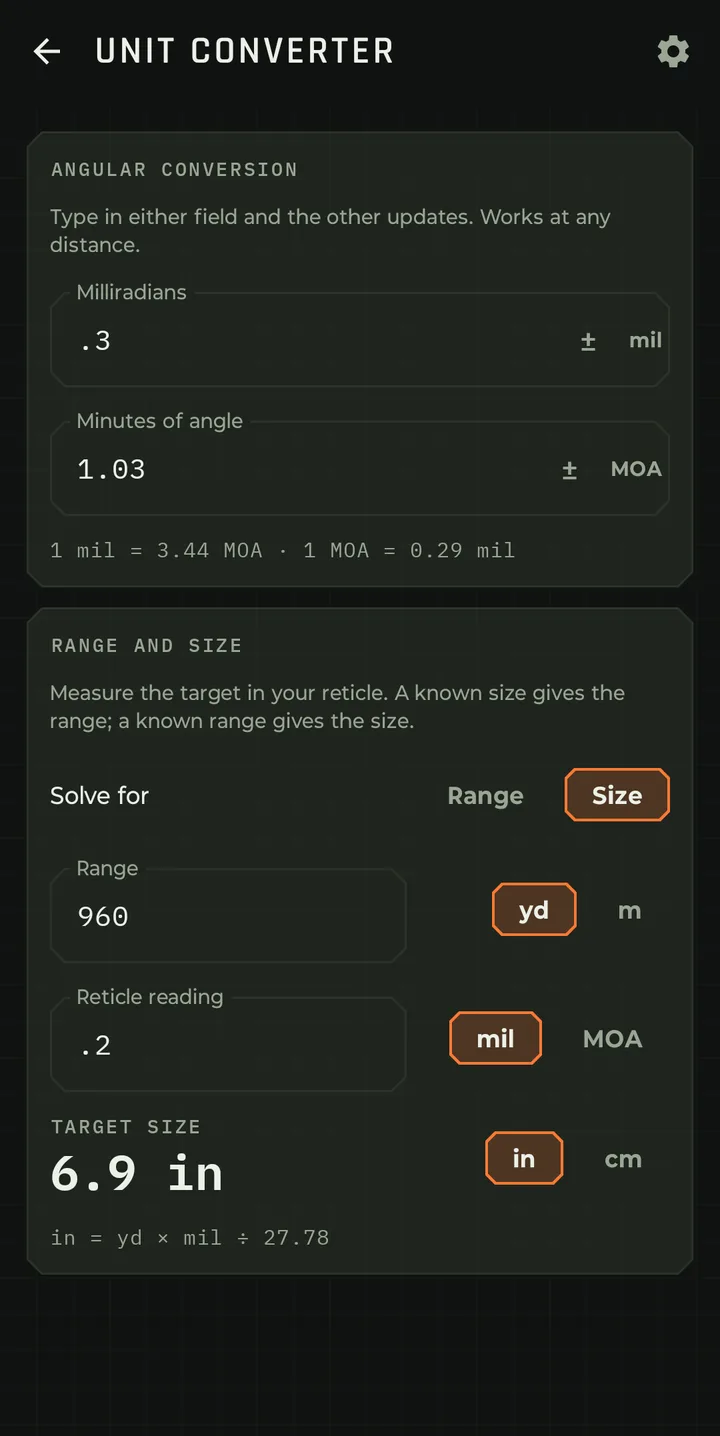
  • Unit converter: MOA to mil and back. Comes in handy when you're spotting for someone who uses MOA and you use mil, or vice versa.
  • Range, size and reticle reading, solved for any one from the other two. Comes in handy when you mil a target to work out its size or distance.
  • Tutorial: a walk through the app, replayable from settings.
  • Customize HUD for the external display.
  • Gun number calculator.
  • Bullet stability calculator.
  • Max point blank range calculator (Hunting Zero).
  • Cleaning log.
Gun number

A fast mental wind system

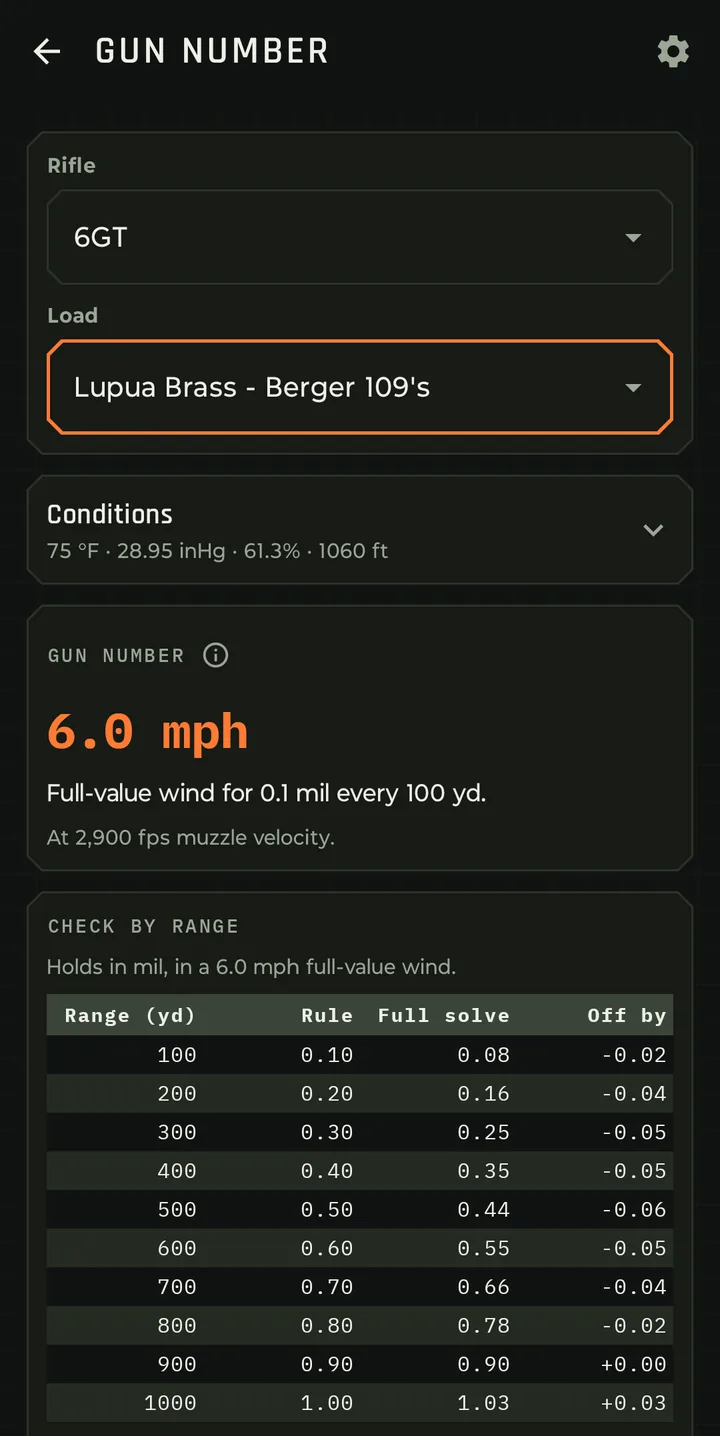
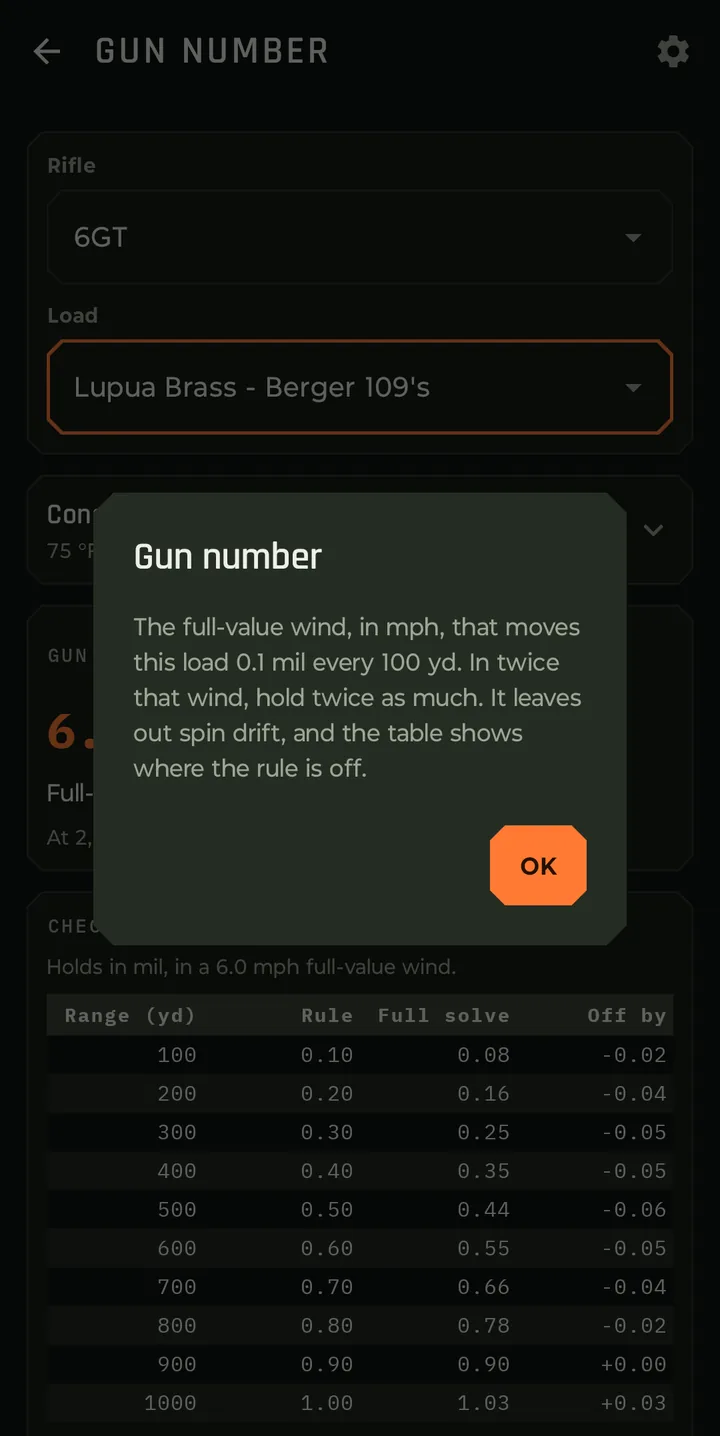
Bullseye Ballistics automatically calculates the best gun number for each load. Once known, your gun number becomes a very fast mental wind system.
A gun number is the full-value wind speed (mph) that causes your bullet to drift approximately:

  • 0.1 mil at 100 yards
  • 0.2 mil at 200 yards
  • 0.3 mil at 300 yards
  • 0.4 mil at 400 yards
  • 0.5 mil at 500 yards

…and so on.

Example

If your gun number is 5 mph:

  • 500 yd target in a 5 mph full-value wind = 0.5 mil
  • 500 yd target in a 10 mph wind = 1.0 mil
  • 500 yd target in a 2.5 mph wind = 0.25 mil

You simply multiply the range constant by the wind multiple.

Settings and appearance

Make it yours

  • Units for range, linear and angular values.
  • Light and dark theme, with a choice of accent color.
  • Home layout ordering, and an orientation lock.
Show 5 moreShow fewer
  • Text size for the solution card: compact, standard or large.
  • Hit probability settings: target preset and size, wind read error, muzzle velocity spread.
  • Bluetooth, wind smoothing and GPS settings, and auto-Coriolis on launch.
  • Shot logging settings, including the miss location prompt.
  • Voice settings and microphone permission handling.
Barrel life, cleaning logs and reminders

Know where the barrel is

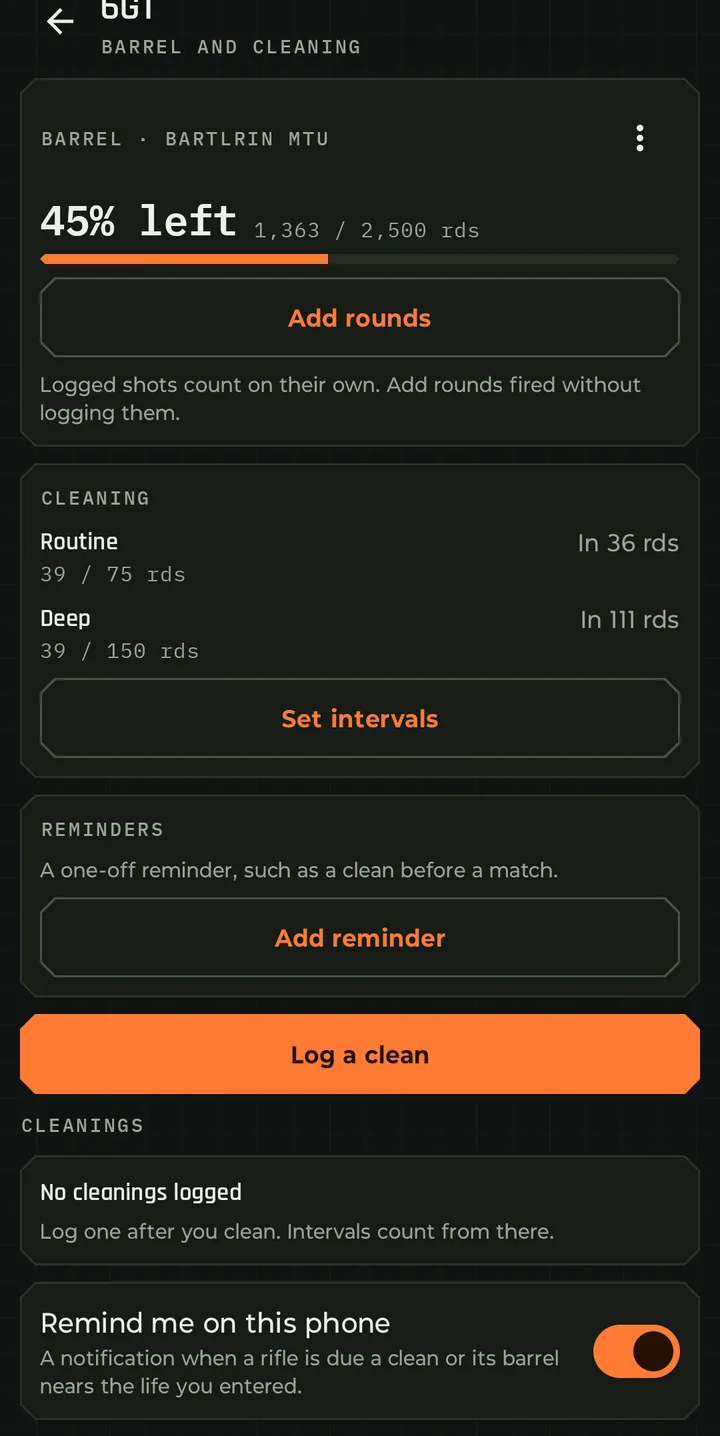
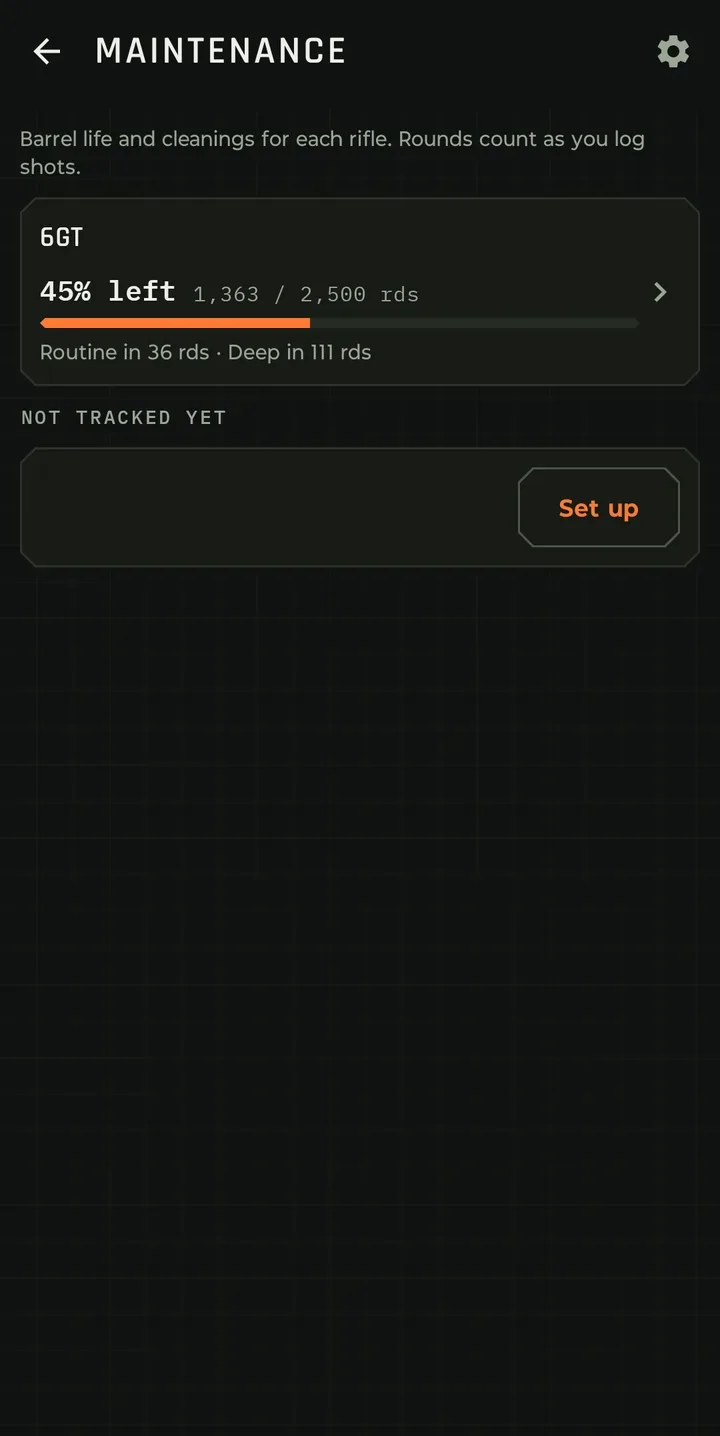
Track the full life of the barrel by actual round count against expected round count.

  • Tracks barrel life and displays percentage of life remaining and actual round count against expected total round count.
  • Tracks cleanings, type of cleaning (routine or deep cleaning), what was cleaned (bore, action, bolt, muzzle device, etc.), products used plus any additional notes you may add.
  • Add reminders to clean based on desired round counts or specific dates.
  • Round count per barrel, counted from the shots you log. Add rounds you fired without logging.
  • Cleaning frequency by round count or by calendar, whichever comes first, for routine and deep cleans.
  • Log each clean with everything that was cleaned: chamber, bolt, bore, muzzle device. Shots after a bore clean are tagged clean-bore and kept out of truing.
  • Reminders that tell you when it's time for the next cleaning or the barrel nears its life, plus one-off reminders such as a clean before a match. Off until you turn them on.
Load development

Data Organization

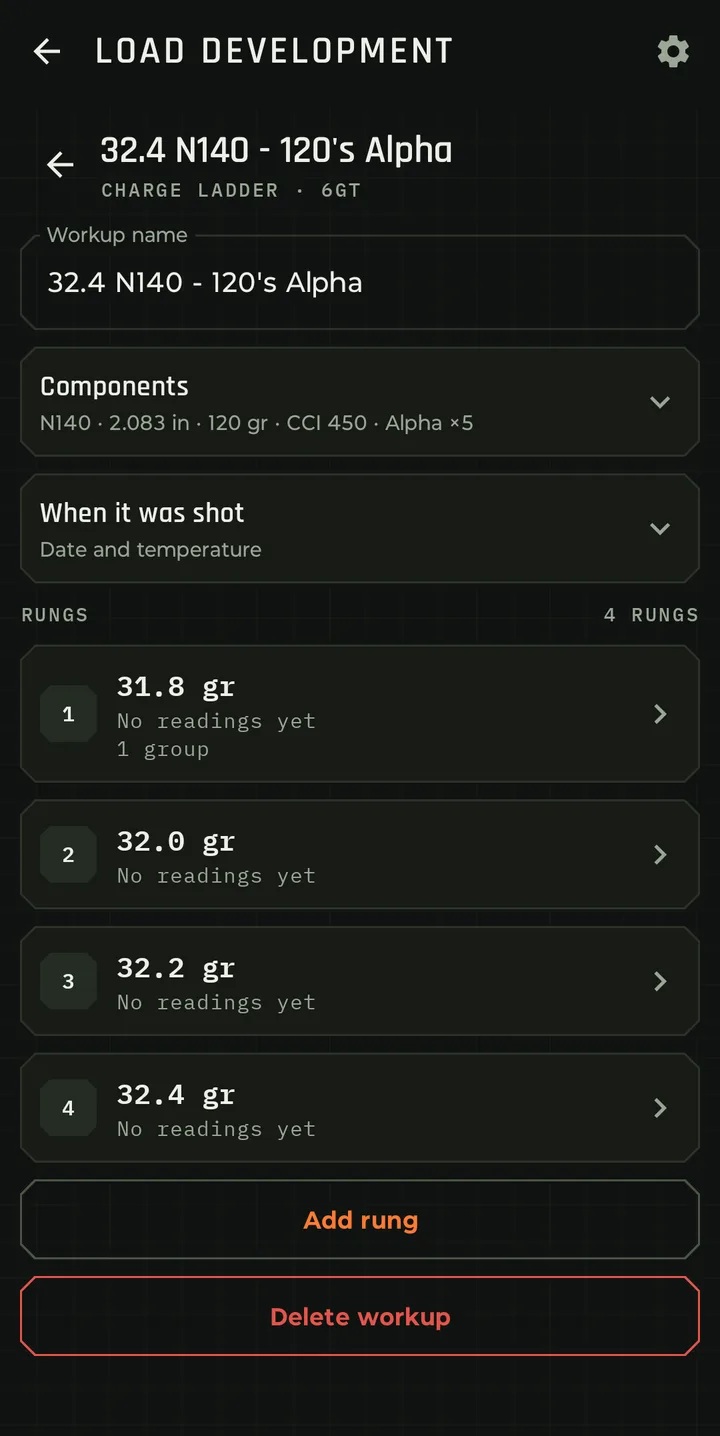
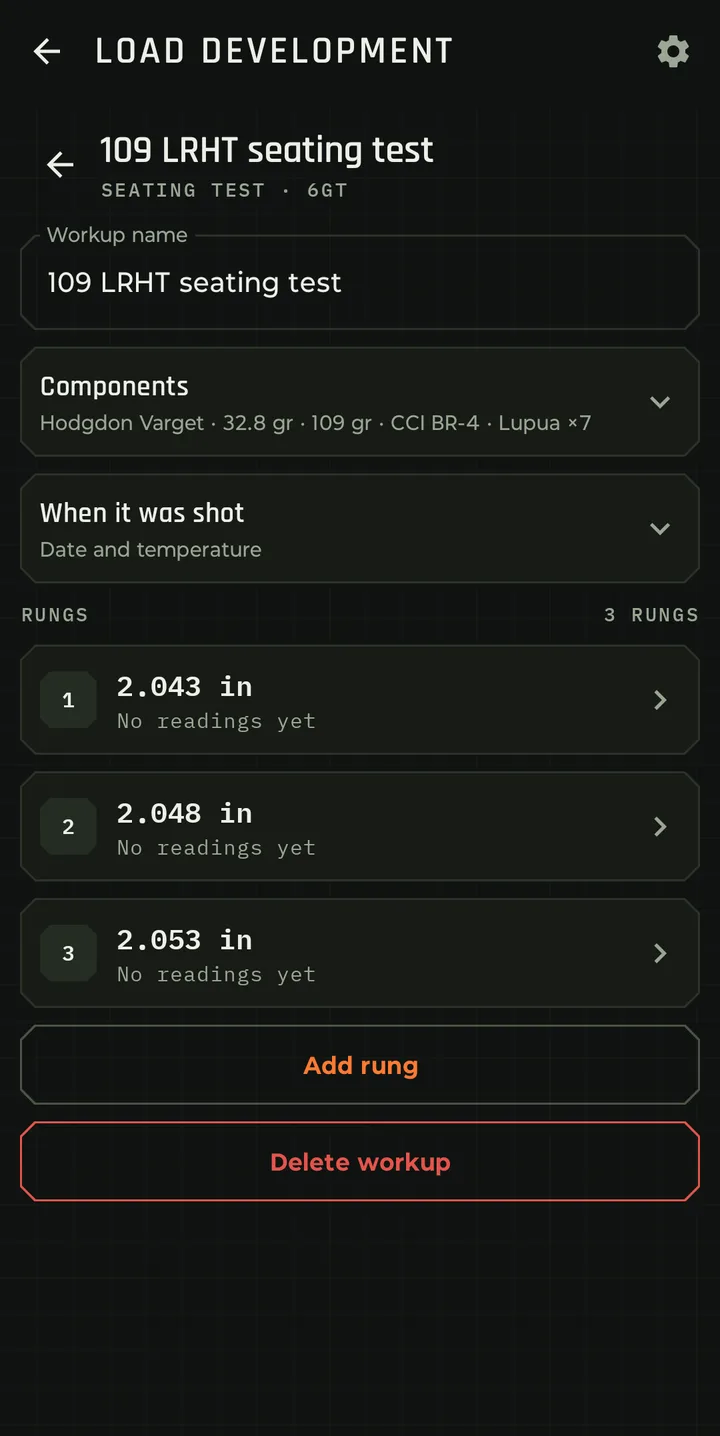
Run and track seating and charge ladder tests, and keep every result set.

  • Let the app do the math. Type the first value, the last and your step interval, and it builds out the ladder rungs.
  • Per rung: velocity readings with average, SD and ES, and the groups you shot with it. A chart compares the rungs.
  • The components, the date and where it was shot are kept with the test.
  • Use this step turns the rung you pick into a load.

See load development, step by step →

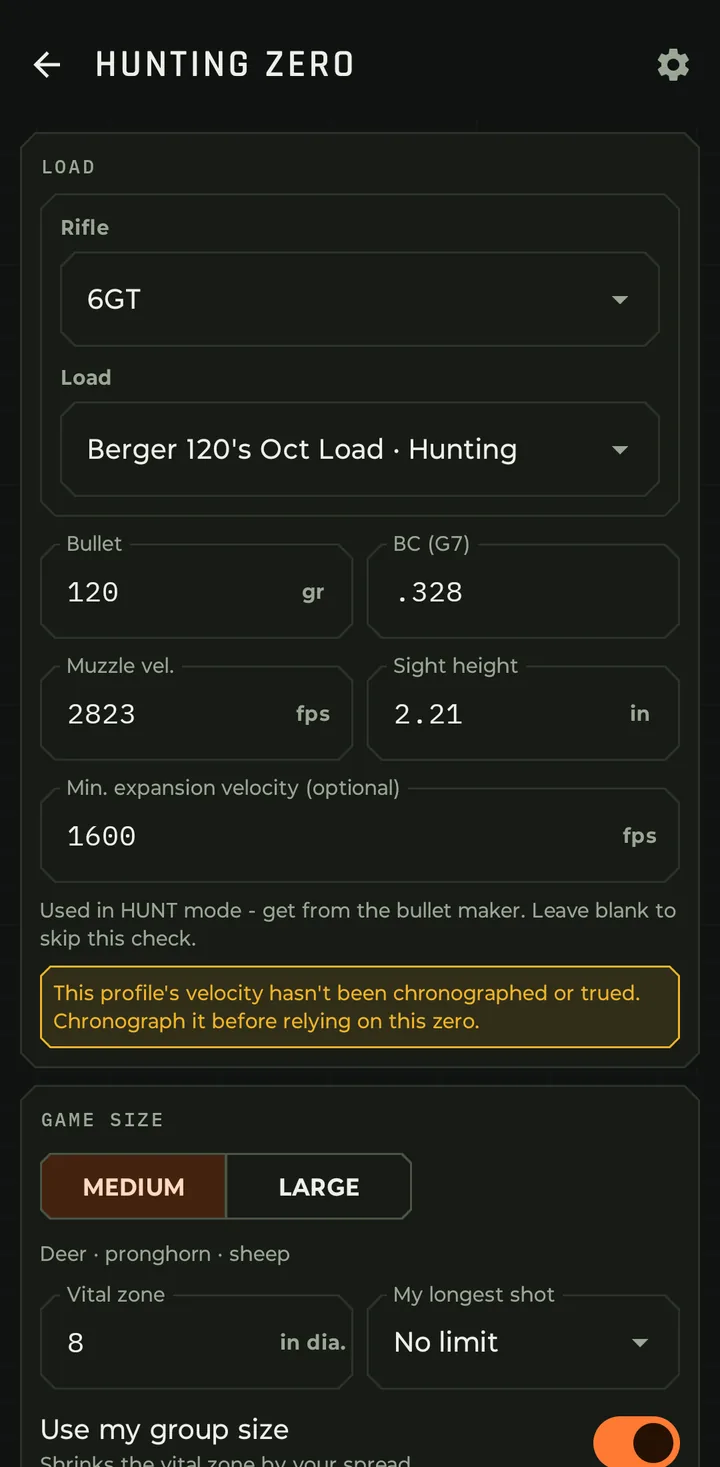
Hunting Zero

Sight in once, hold dead center

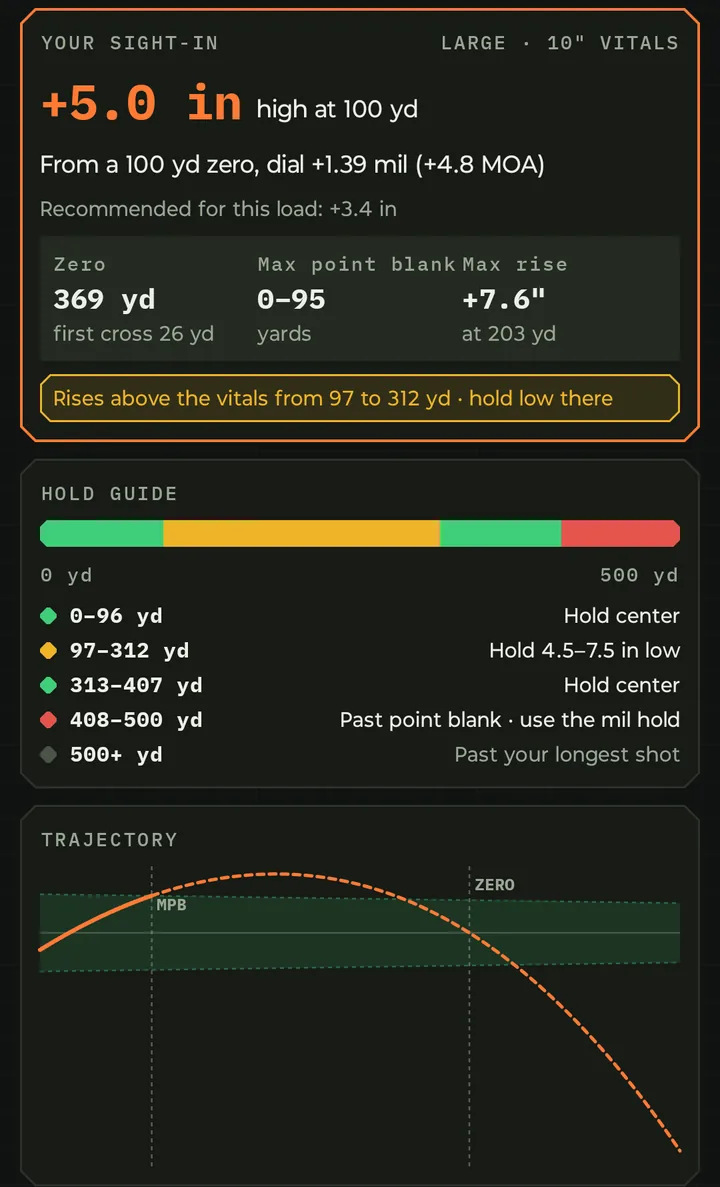
Pick your load and the animal you're after. Hunting Zero works out exactly how high to sight in at 100 yards so the bullet stays inside the vitals from the muzzle out to your maximum point-blank range.

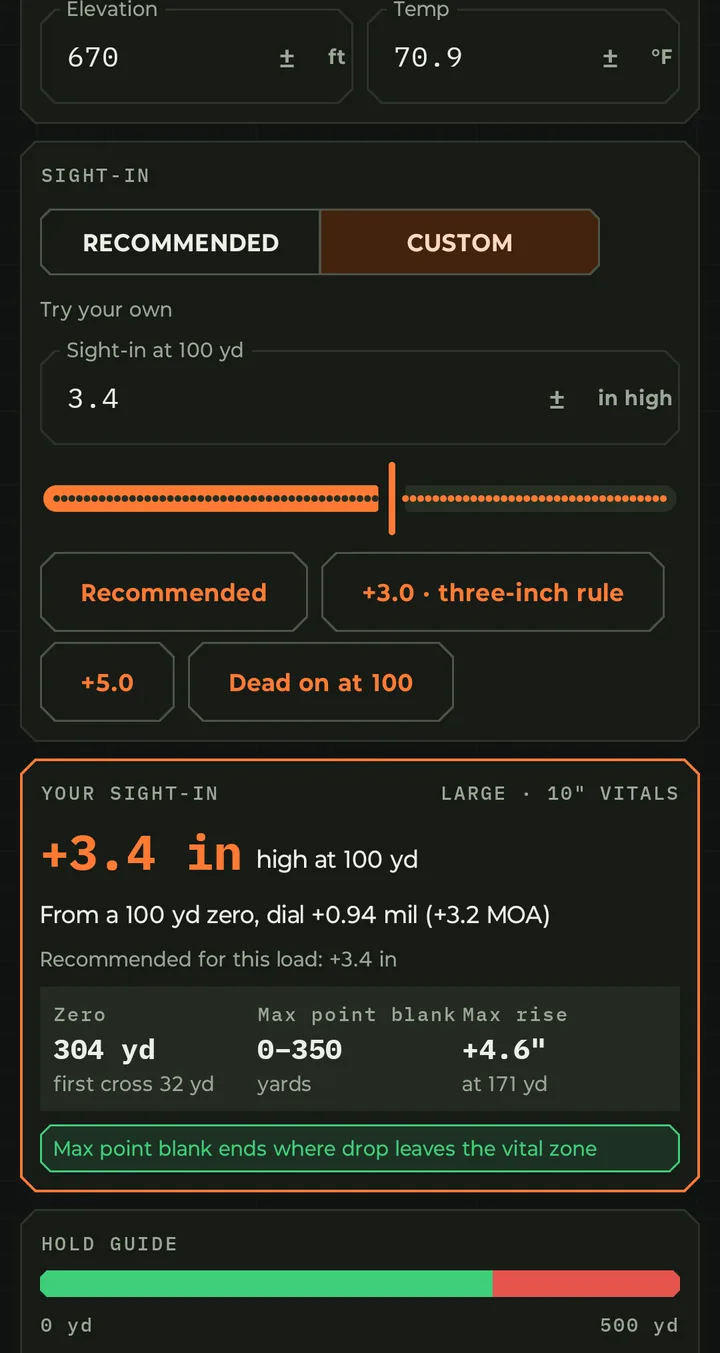
  • One number to set at the range, such as +2.6 in high at 100 yd, with the far zero, the point-blank range and the highest the bullet rises. Already zeroed at 100? It gives the dial in mil and MOA instead.
  • Built around the animal: Medium game (deer, pronghorn, sheep) or Large game (elk, moose) sizes the vital zone, or type your own. My longest shot keeps it from planning past the distance you'd take.
  • Your real group: Use my group size shrinks the vital zone by the spread you've logged.
  • Range vs. field: separate elevation and temperature for where you sight in and where you hunt.
  • A color-coded hold guide and trajectory chart: hold center, hold low or high by how much, or dial past point blank.
  • Custom sight-ins: test the three-inch rule, +5.0, dead on at 100 or any height, and see where each one works.
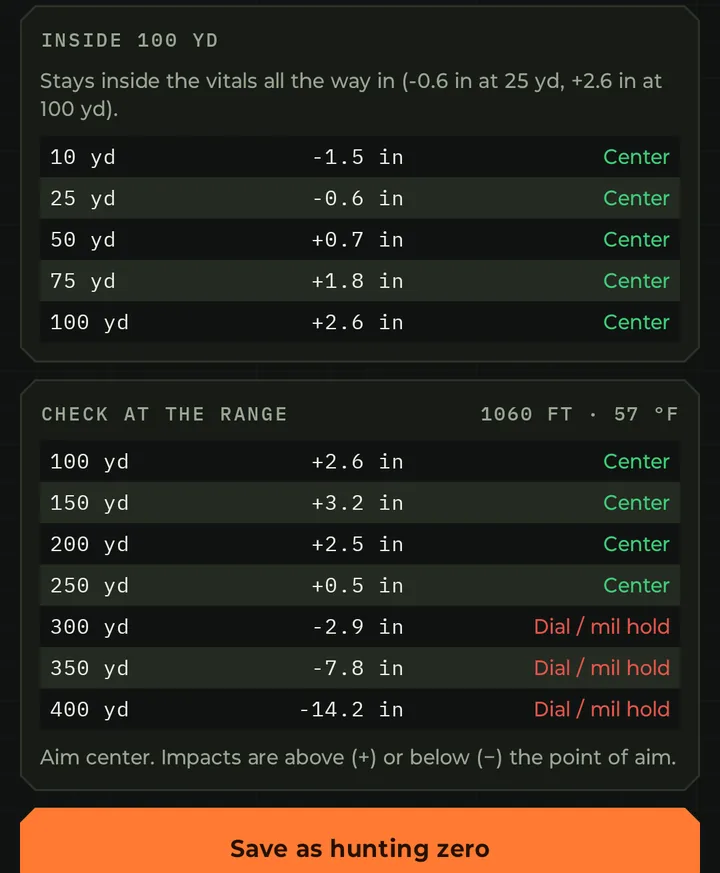
  • Inside 100 yd and Check at the range tables, then save it as its own hunting profile. Your original load and its zero stay as they are.

More on Hunting Zero

Hunt Mode

Hold center, or the exact hold

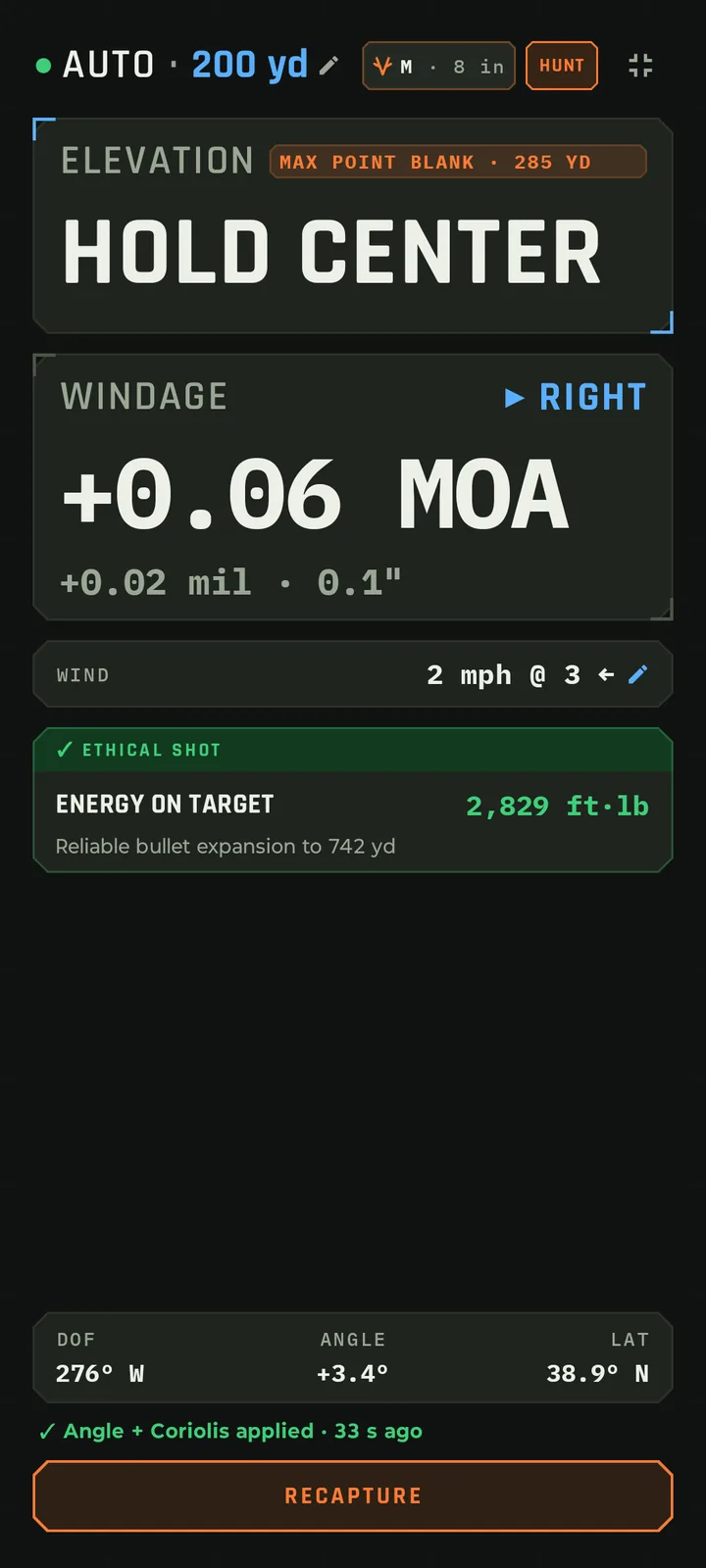
Hunt Mode cuts the solver down to what matters with an animal in front of you: your elevation hold, your windage, and a straight answer on whether the shot is ethical.

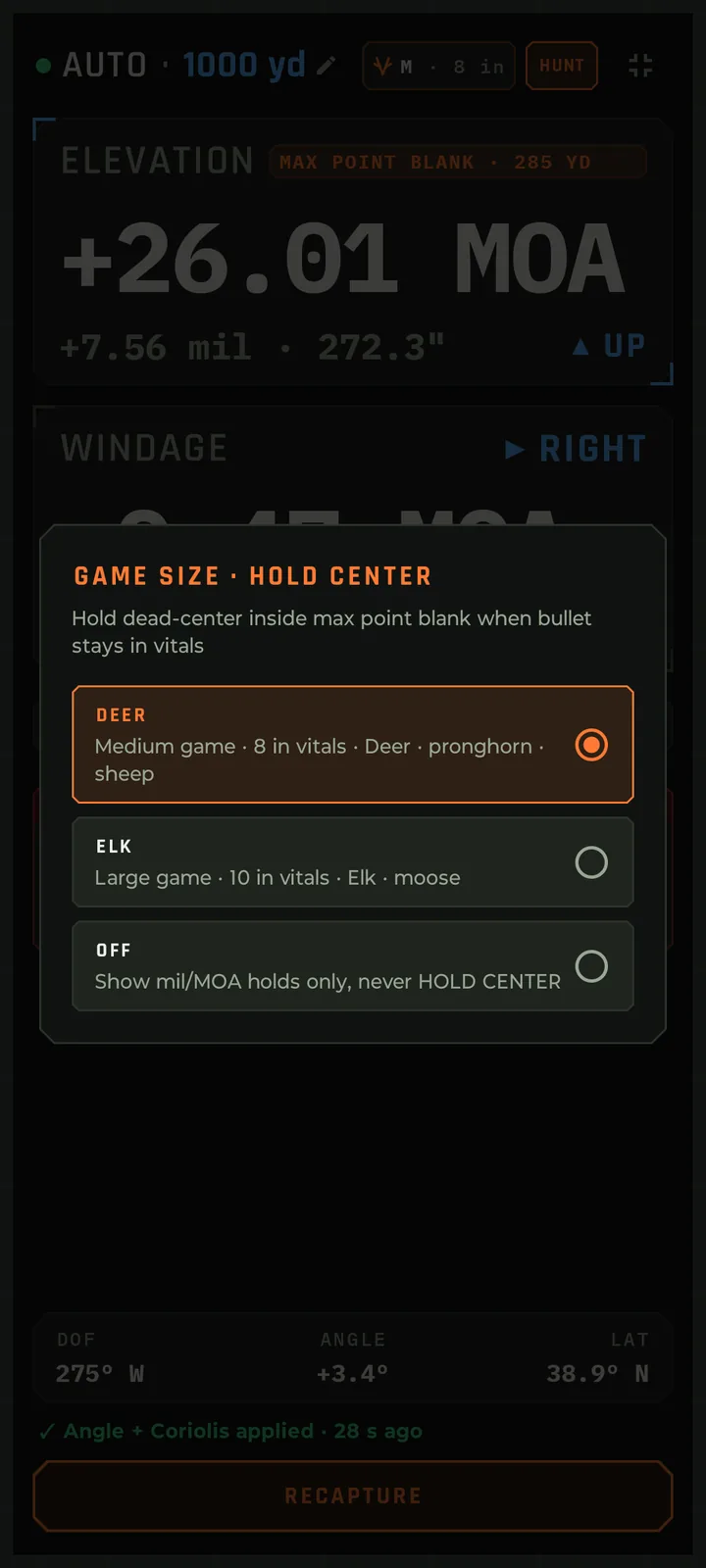
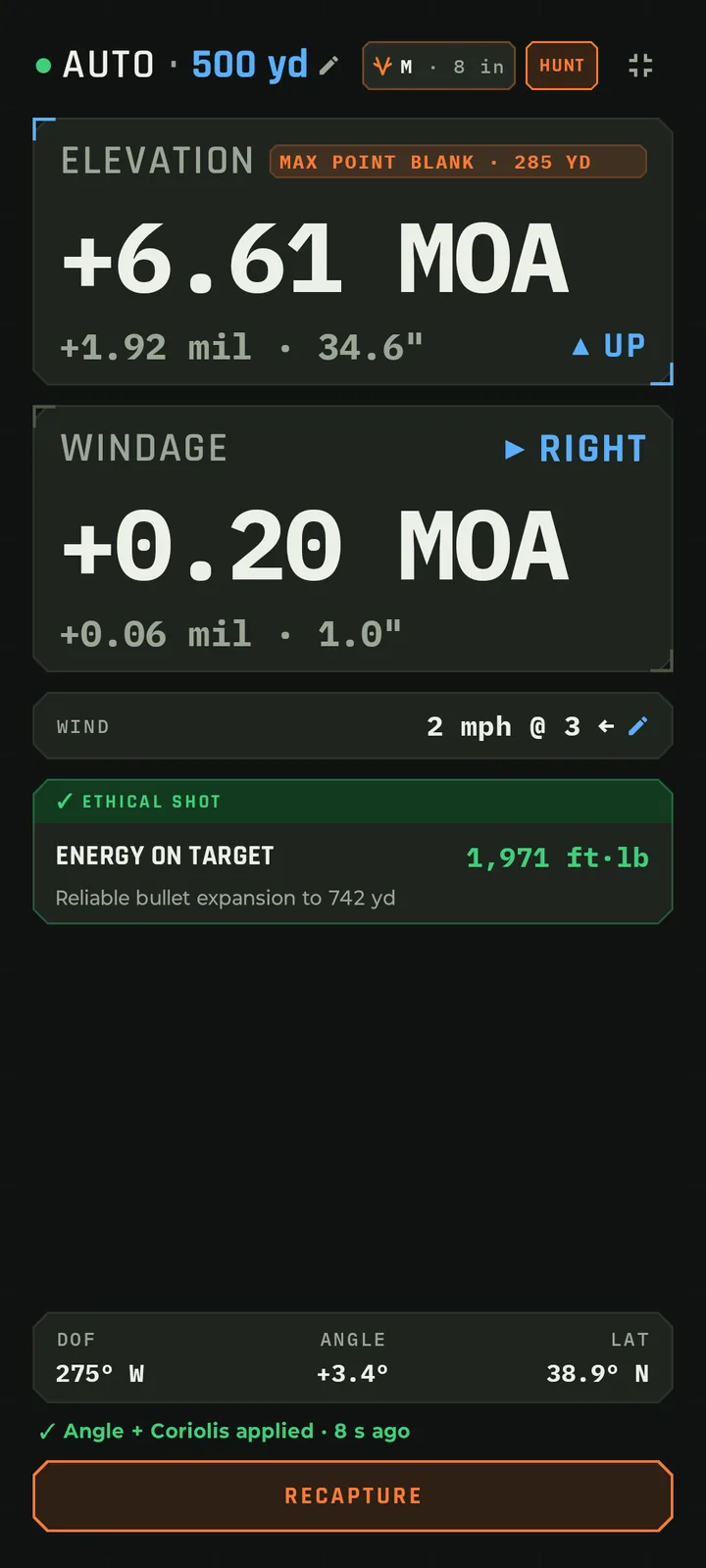
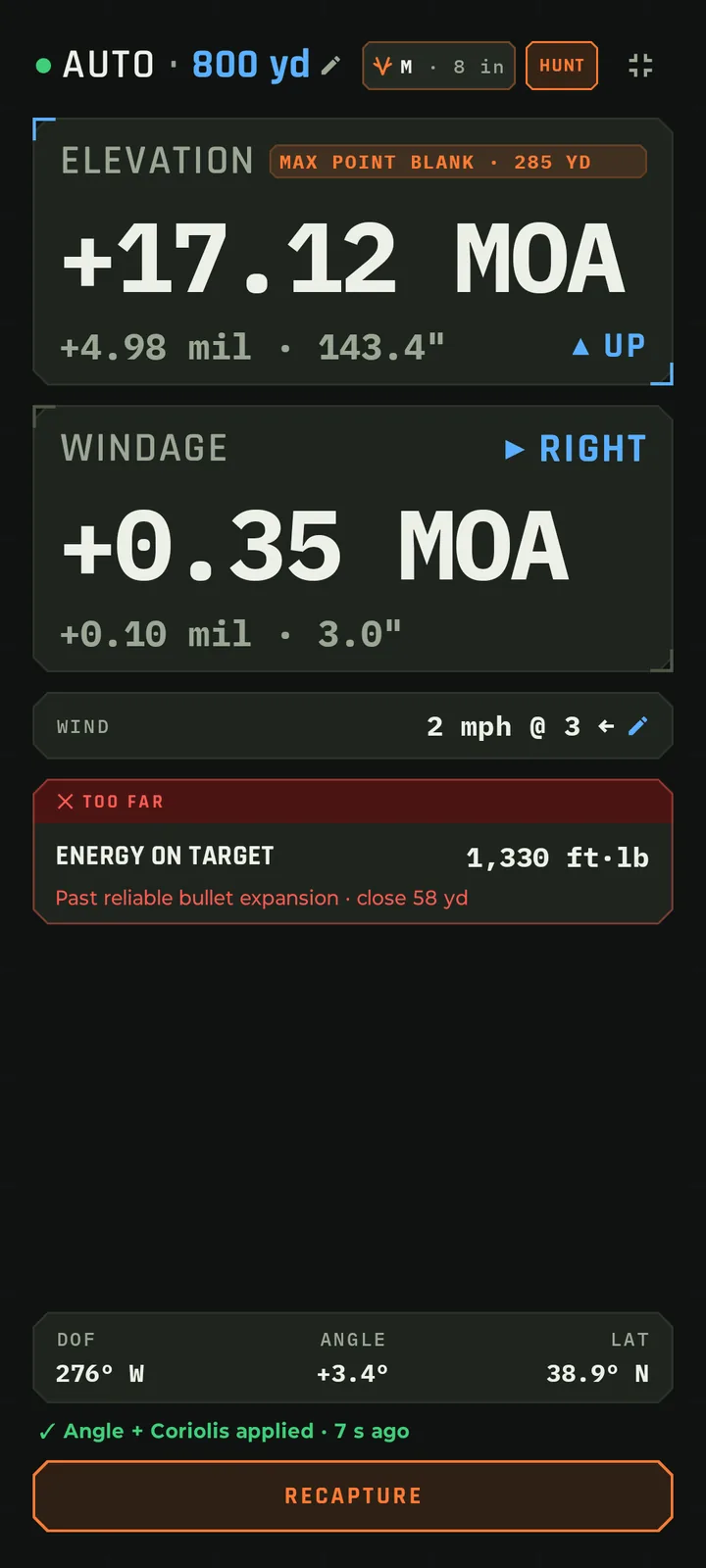
  • Point, range, shoot: aim the phone at the animal to capture the direction of fire, shot angle and latitude, type the range, and read the hold. Angle and Coriolis are already in the numbers.
  • Hold Center: pick Deer (8 in vitals) or Elk (10 in) on the game size chip. Inside max point blank, the elevation readout simply says HOLD CENTER. Past it, you get the exact hold in MOA or mil.
  • Max point blank for today, worked out from your load, your zero, today's air and, if you like, your logged group size.
  • Ethical shot check on every solve: energy on target above your minimum, and impact velocity above the bullet's minimum expansion velocity. Fail either and it reads TOO FAR, with the yards to close.
  • Less on screen: big holds, the wind, and a yes or no on the shot, readable at arm's length. Loads tagged Hunting open the solver in Hunt Mode automatically.

More on Hunt Mode

Compare to other solver apps Feature by feature, side by side.
Platform and data

Now on Android, coming soon to iPhone

  • Works offline. Only the optional AI, sign-in and cloud backup need a connection, which are not required by the solver – you can use this app on a phone with no service, no internet connection.
  • All records saved on the phone, with optional cloud backup and an account-free file export.
  • No advertising, no analytics, no data sold.